
Last updated: March 2026 | By BestAgentPick
Quick Verdict: Answrr is a new AI receptionist platform with some genuinely unique features — caller memory, Rime Arcana voice technology, and an AI-powered onboarding assistant. But as a product launched just weeks ago, it has rough edges. The AI Setup Assistant got stuck during my test, the free trial doesn’t include a phone number, and the website widget didn’t respond. At $99/month for the Starter plan, it’s competitively priced — but you should know exactly what you’re getting into.
⭐⭐⭐½ (3.5/5)
What Is Answrr?
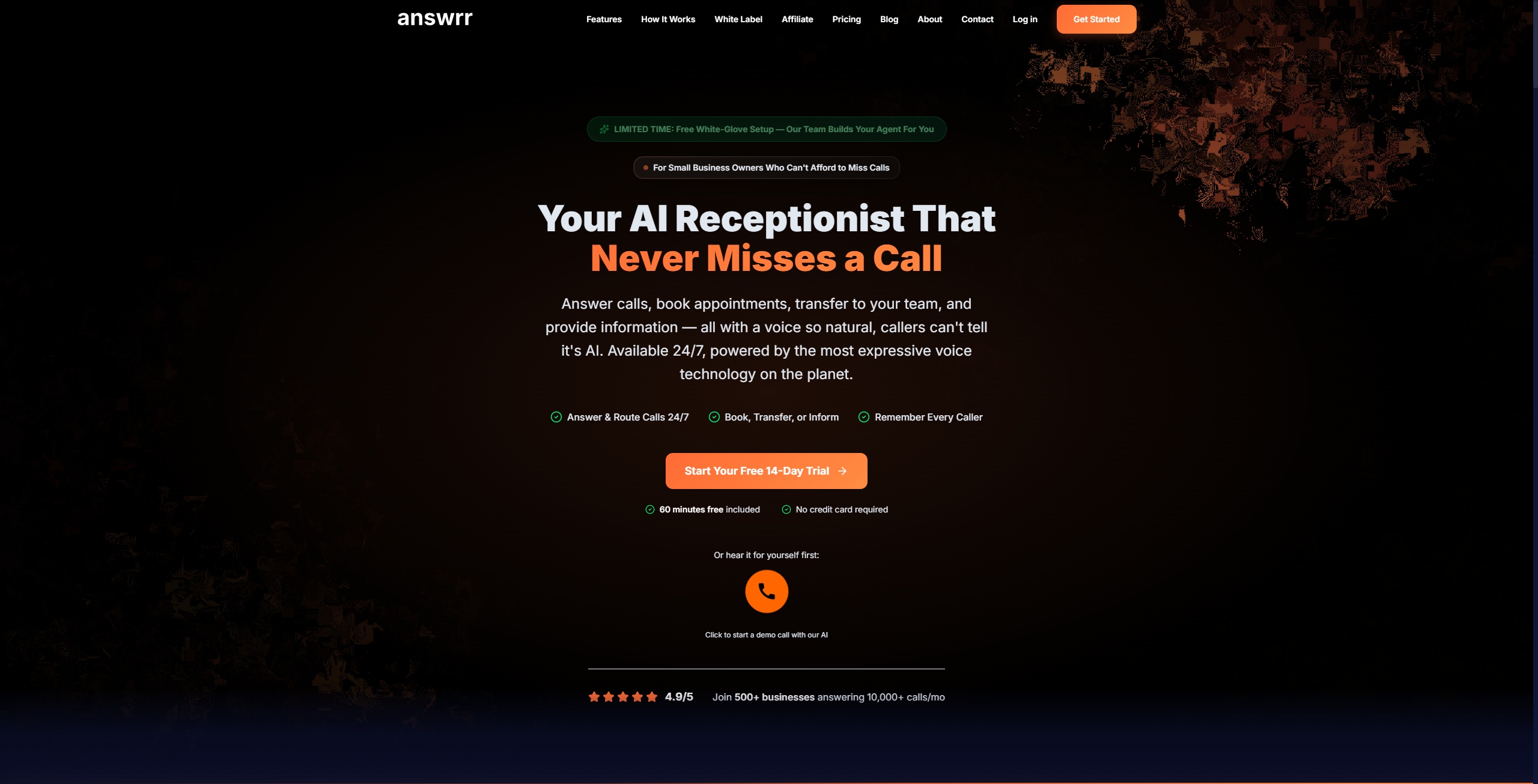
Answrr is an AI-powered phone receptionist built by AIQ Labs, a small AI development company based in Halifax, Canada. It launched in February 2026 and targets small businesses that lose customers to missed phone calls.
The core promise: instead of paying $3,000–$5,000/month for a human receptionist or letting calls go to voicemail, Answrr answers your phone 24/7 with an AI that sounds natural, books appointments, and remembers returning callers.
What makes it different from competitors like Dialzara ($29/mo) or Smith.ai ($95/mo) is three things: the Rime Arcana voice engine, a long-term caller memory system, and an AI-powered onboarding flow. Whether these features deliver on their promise is what I wanted to find out.
Important context: AIQ Labs is a bootstrapped company with no disclosed venture capital funding. Most of their online presence comes from paid press releases rather than independent media coverage. This doesn’t mean the product is bad, but buyers should factor in the company’s early stage when evaluating long-term reliability.
Signing Up & First Impressions
Registration is straightforward — email, password, done. No credit card required for the 14-day free trial, which includes 60 minutes of call time.
The dashboard is clean and well-designed. You get an immediate overview of your plan status, call statistics, available minutes, recent calls, and recent memories. There’s also a Quick Actions bar at the bottom for common tasks.
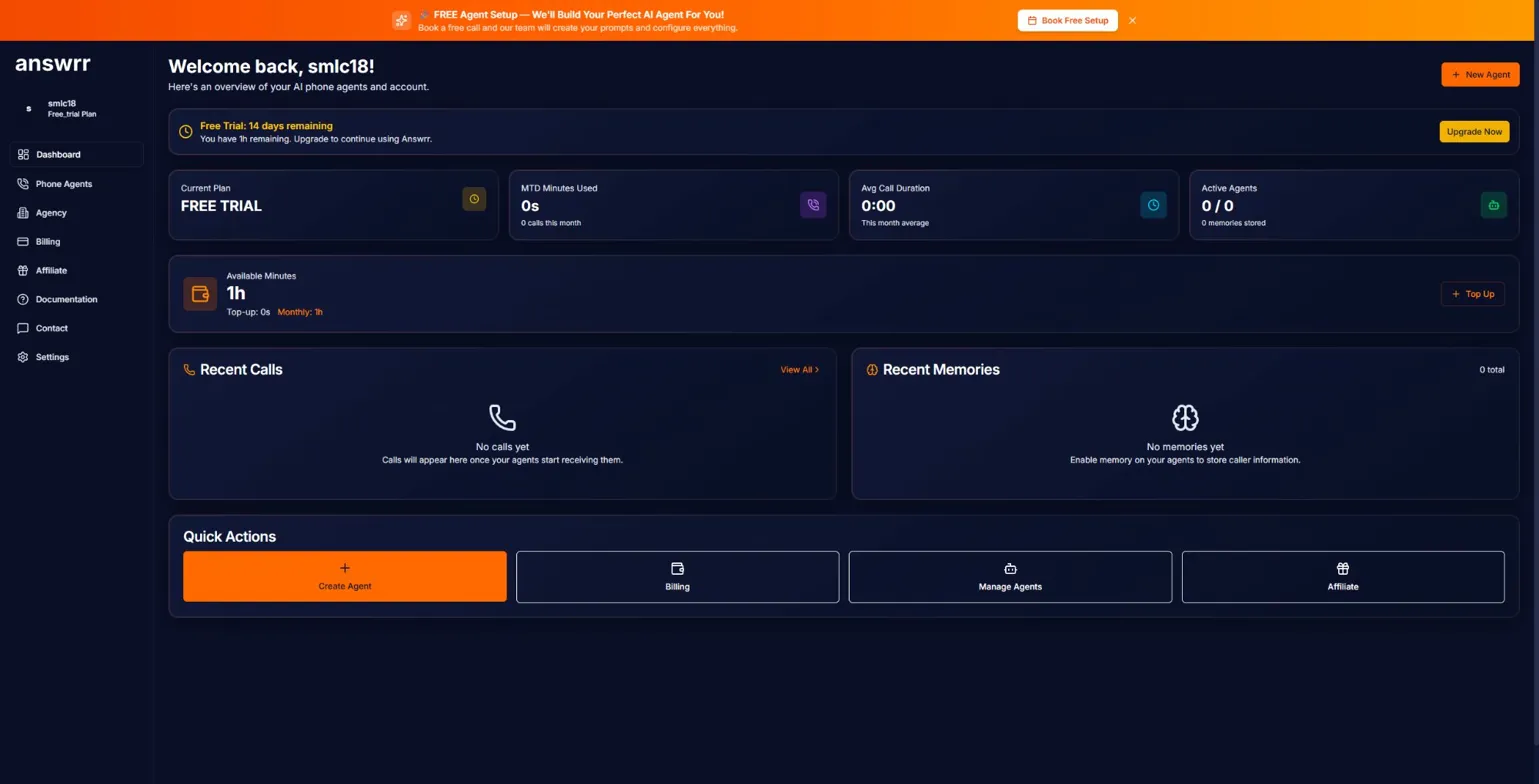
First thing you’ll notice: the prominent orange “FREE Agent Setup” banner at the top offering white-glove setup where their team configures everything for you. This is a nice touch for non-technical users, though I wanted to test the self-service experience.
Creating Your AI Agent
Clicking “Create Agent” opens a simple modal asking for two things: Company Name and Agent Name.
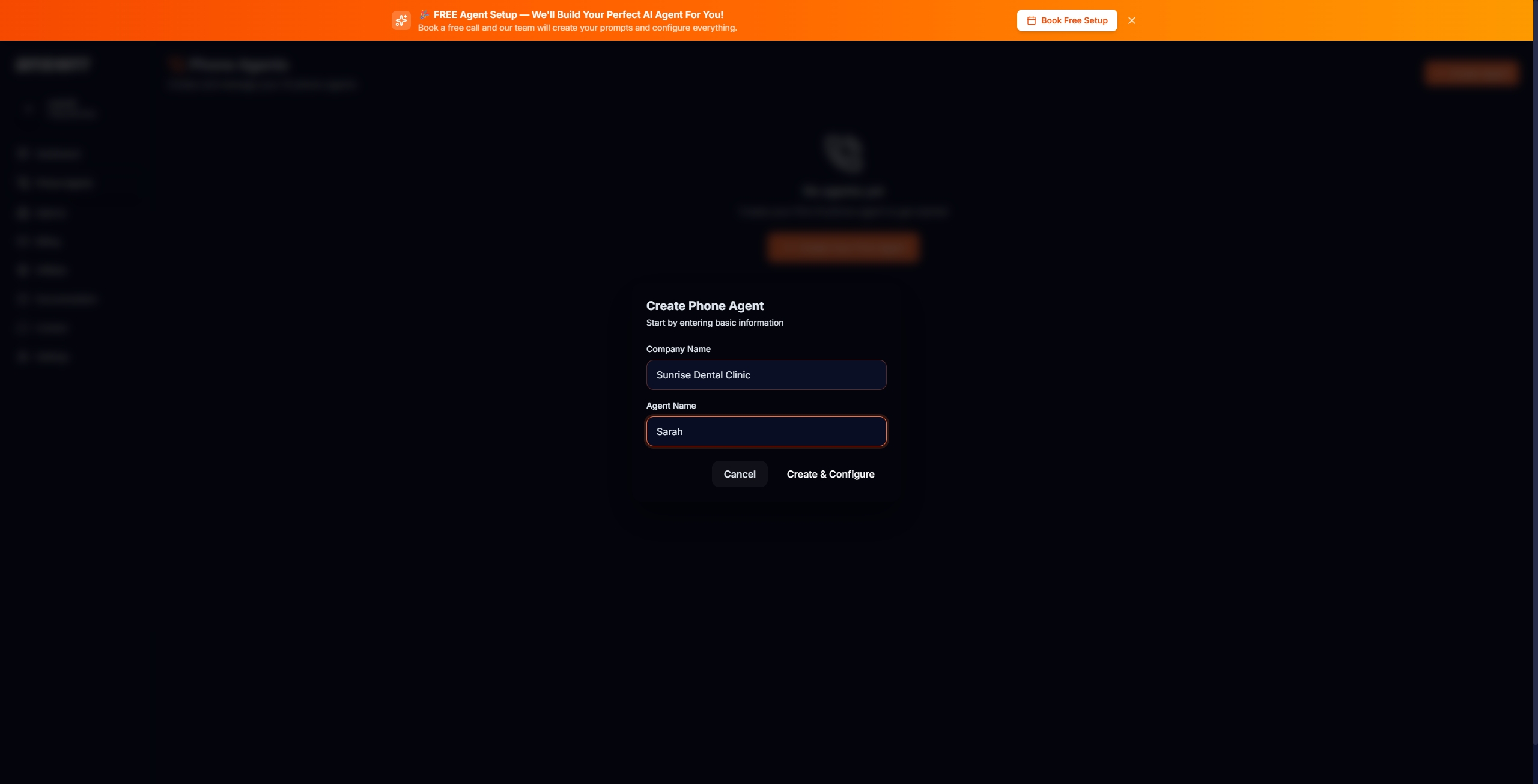
I entered “Sunrise Dental Clinic” as the company and “Sarah” as the agent name. Clicked “Create & Configure” and was taken to the full configuration page.
The AI Setup Assistant: Great Idea, Rough Execution
This is where things got interesting — and a bit frustrating.
Answrr offers two configuration paths: Manual Configuration (traditional form-based setup) and an AI Setup Assistant (Beta) that promises to interview you about your business and automatically generate your agent’s configuration.
I tried the AI Setup Assistant first, since it’s one of Answrr’s headline features.
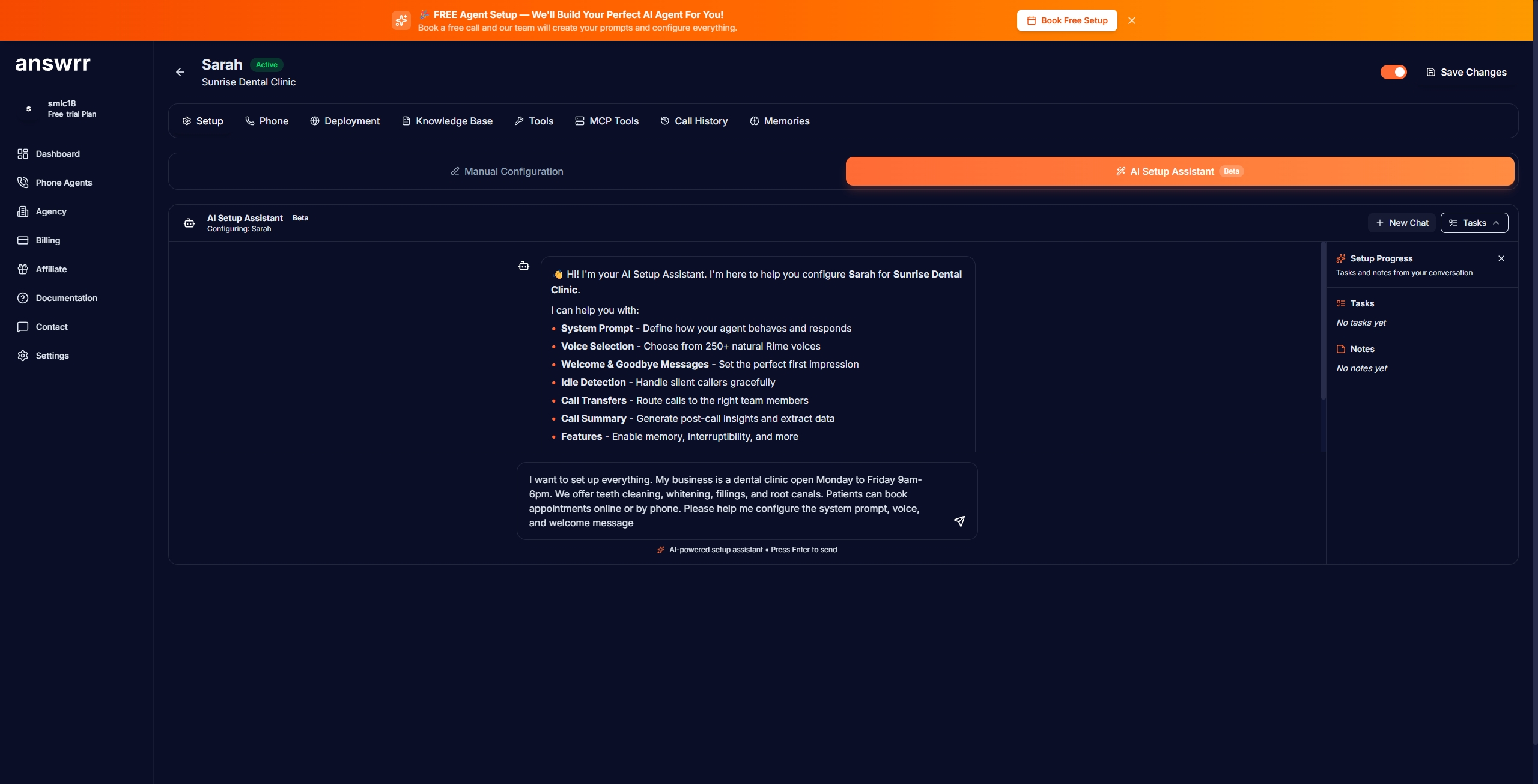
The assistant asked what I wanted to set up. I gave it a comprehensive description of my test business: a dental clinic open Monday-Friday 9am-6pm, offering teeth cleaning, whitening, fillings, and root canals, with the goal of booking appointments and answering basic questions.
Here’s where it went sideways. The AI started processing — it successfully saved my business notes and retrieved voice prompt instructions. But then it just… kept adding notes. It saved the same business information twice and never actually progressed to generating a system prompt or selecting a voice.
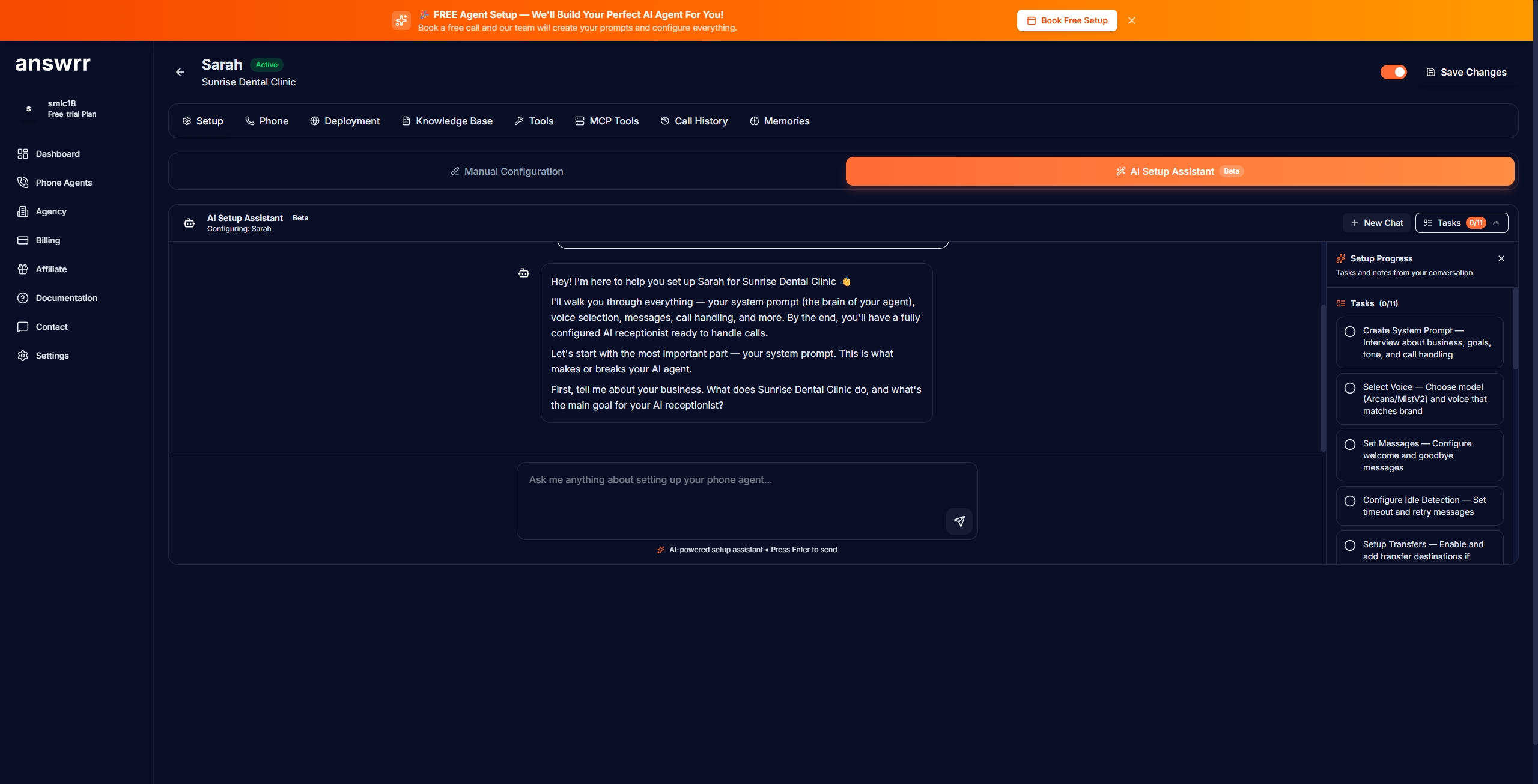
I waited several minutes. The loading spinner kept spinning. The “Setup Progress” panel on the right still showed “No tasks yet” and “No notes yet” — even though the AI had clearly been working. The right panel never updated.
Bottom line on the AI Setup Assistant: It’s labeled “Beta” for a reason. The concept is excellent — having AI interview you and auto-generate your agent is a genuinely smart idea. But in my testing, it didn’t work. I had to switch to manual configuration.
Manual Configuration: Actually Straightforward
Switching to Manual Configuration, I found a well-organized setup page with a helpful Setup Guide at the top explaining each section.
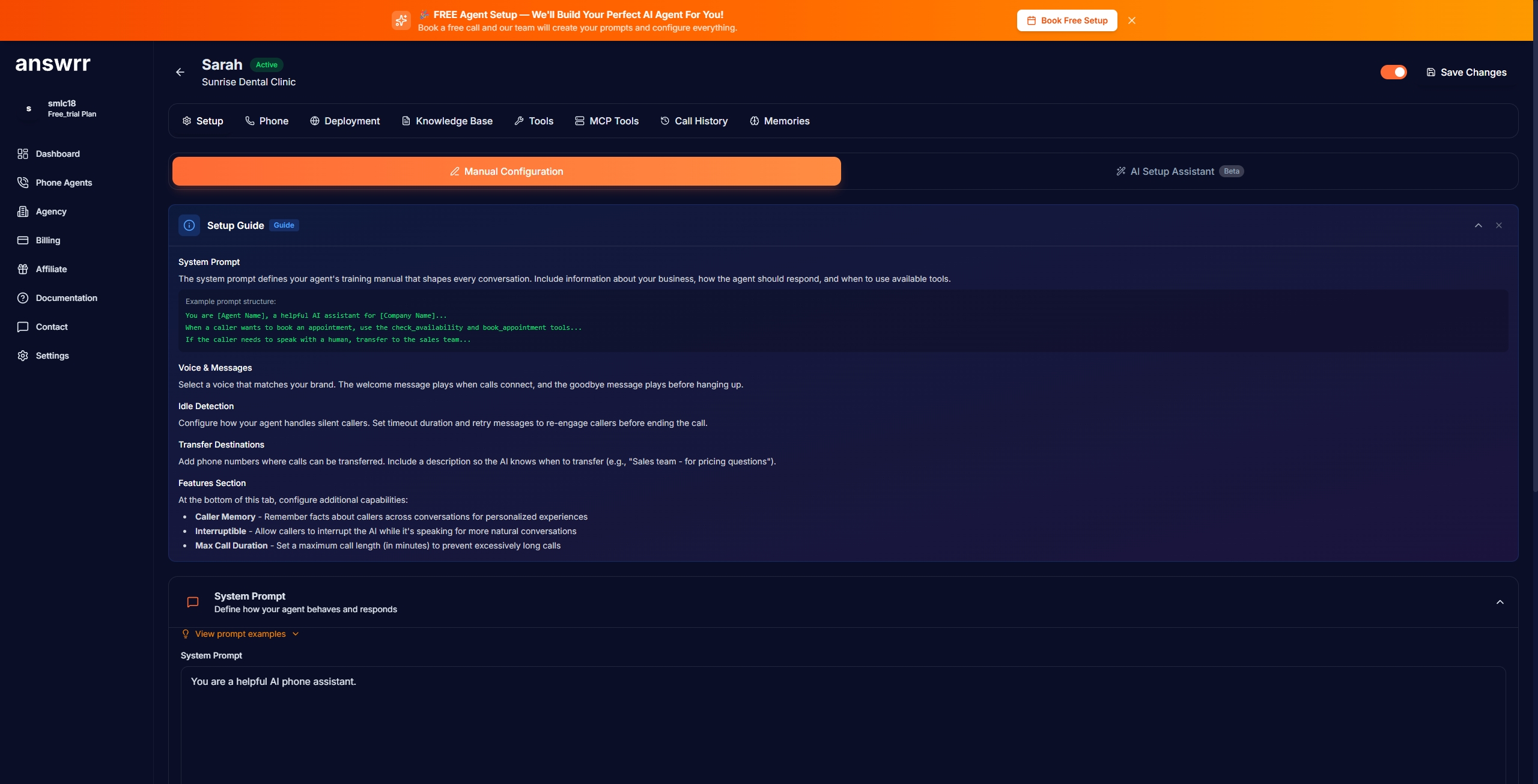
I configured the following:
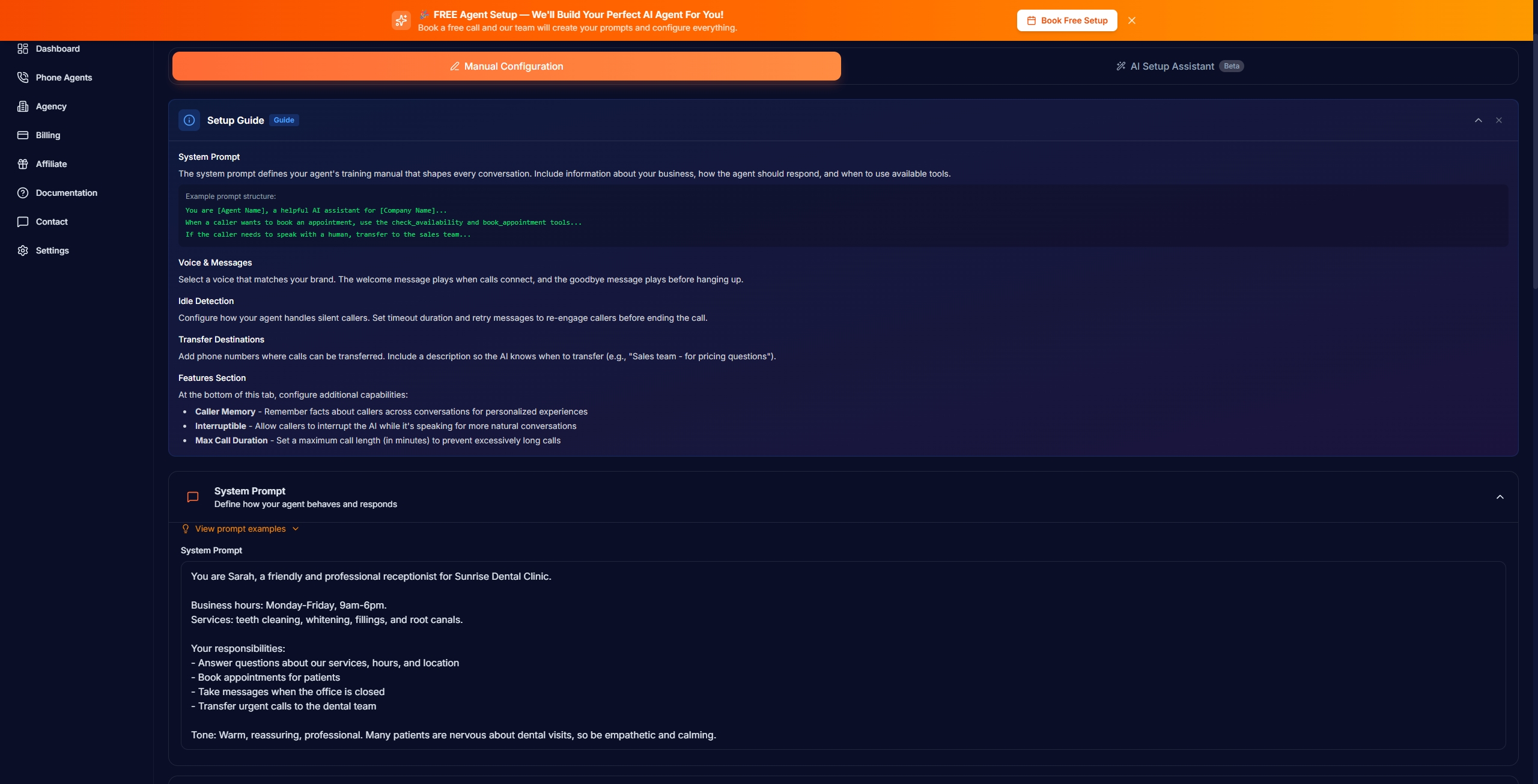
System Prompt: Wrote a custom prompt defining Sarah as a friendly dental receptionist, including business hours, services offered, and responsibilities (answering questions, booking appointments, taking messages, transferring urgent calls).
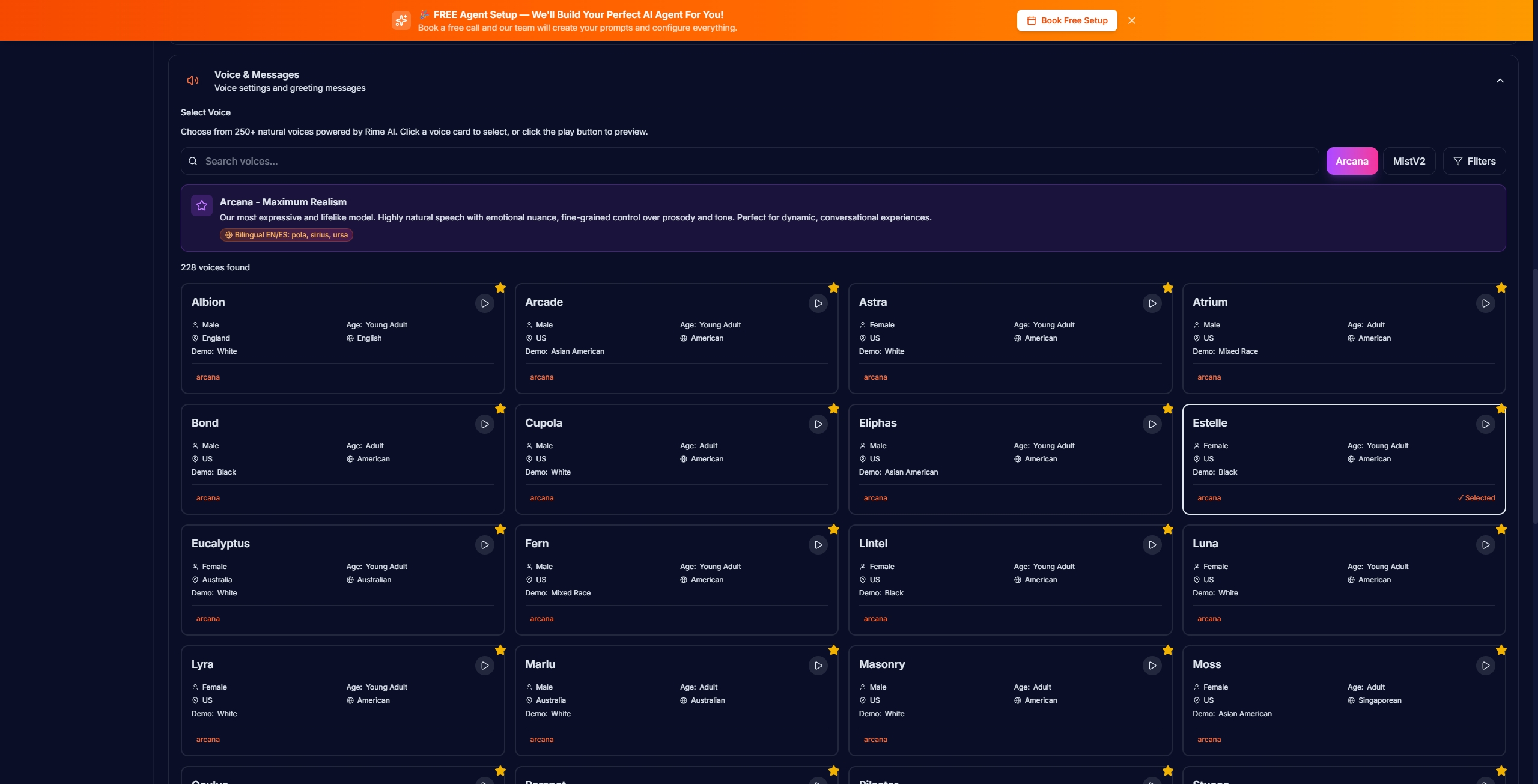
Voice Selection: This is where Answrr shines. The platform offers 200+ voices powered by Rime’s Arcana model — their most expressive voice engine. Each voice card shows gender, age range, accent, and a play button for preview.
Welcome & Goodbye Messages: Simple text fields. I set “Thank you for calling Sunrise Dental Clinic! How can I help you today?” as the welcome message and “Thank you for calling Sunrise Dental Clinic. Have a great day!” as the goodbye.
Features: At the bottom of the setup page, I enabled Caller Memory (remembers callers across conversations), Interruptible mode (lets callers interrupt the AI mid-sentence), and left Max Call Duration at the default 600 minutes.
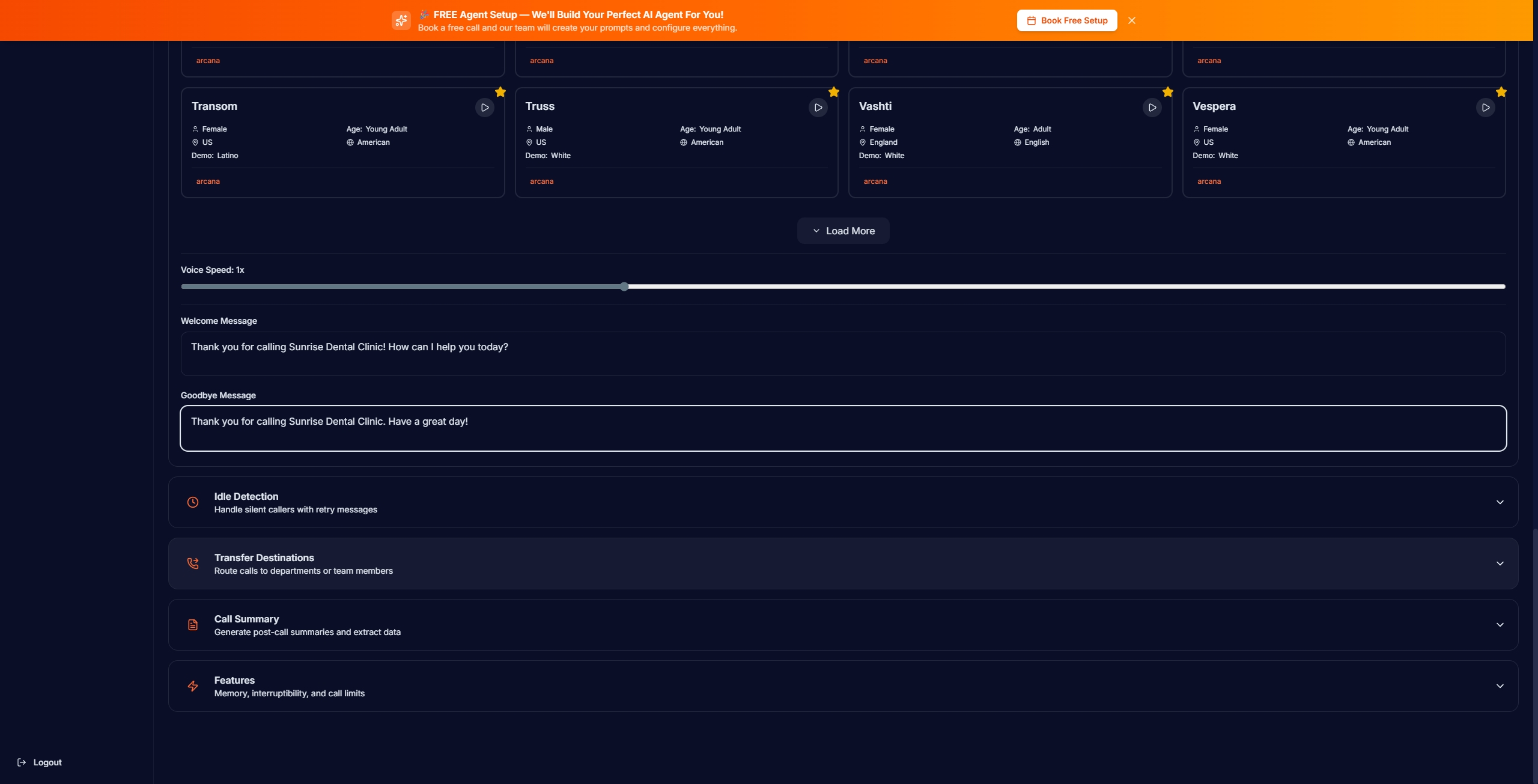
Total manual setup time: about 8 minutes. Not bad at all — and honestly, the manual configuration is clear enough that the AI Setup Assistant isn’t really needed.
Deployment: Website Widget
Answrr offers two deployment methods: a dedicated phone number or a website widget.
The phone number requires purchasing one at $2/month — it’s not included in the free trial. You can choose local or toll-free US numbers.
The website widget is the more accessible option. It lets visitors click a button on your website to start a voice conversation with your AI directly in the browser (via WebRTC). The widget is customizable — you can choose the button icon, color, position, size, and animation style.
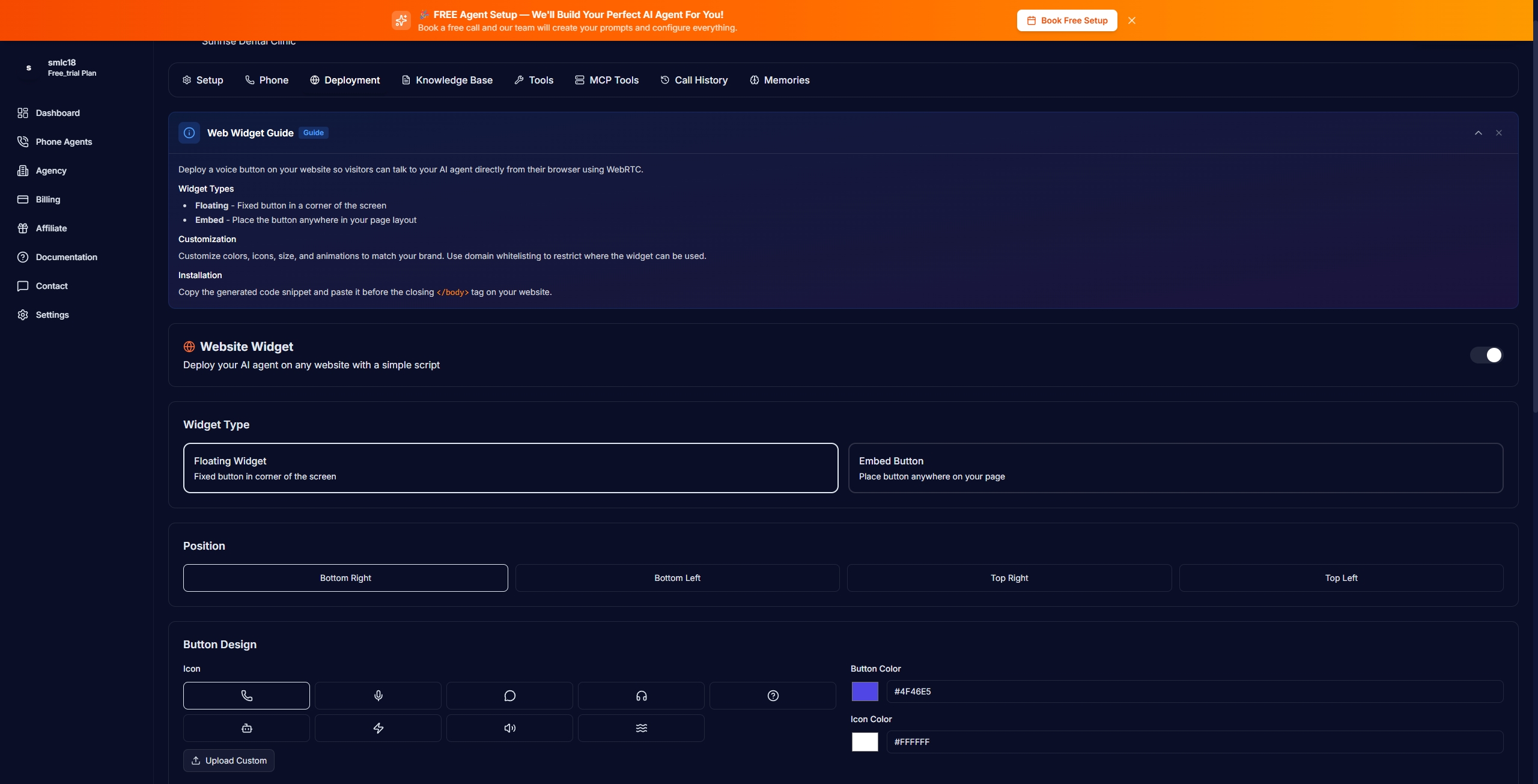
Unfortunately, when I tried to test the widget through the Preview function, clicking the call button produced no response. No error message, no loading indicator — just nothing. This may be a browser compatibility issue or a bug in the preview environment, but it meant I couldn’t test the actual voice quality of my configured agent during the free trial.
What I Couldn’t Test (And Why That Matters)
Let me be transparent: I was unable to test the actual voice conversation quality during this review. The free trial doesn’t include a phone number, and the website widget preview didn’t work. This means I couldn’t evaluate:
- How natural the Rime Arcana voice actually sounds in practice
- Whether the AI correctly answers questions based on the system prompt
- How well the caller memory works across multiple calls
- The quality of post-call summaries and transcripts
Answrr’s homepage has a “Click to start a demo call with our AI” button that demonstrates their general AI voice capability, but that’s their demo agent — not a custom-configured one.
This is a significant limitation of the free trial. For a product whose primary selling point is voice quality, not being able to hear your own agent during the trial is a miss.
Answrr Pricing (March 2026)
All plans include every feature — the only difference is included minutes and number of agents. No feature-gating, which is refreshing.
| Plan | Price | Minutes | Agents | Overage |
|---|---|---|---|---|
| Starter | $99/mo | 300 min (5h) | 3 | $0.25/min |
| Growth | $199/mo | 750 min (12.5h) | 10 | $0.22/min |
| Pro | $449/mo | 2,000 min (33h) | 25 | $0.20/min |
| Agency | $699/mo | 5,000 min (83h) | 100 | $0.12/min |
Free trial: 14 days, 60 minutes, no credit card required. But phone numbers cost extra ($2/mo).
How it compares on price:
- Dialzara starts at $29/mo (much cheaper entry point)
- Smith.ai starts at $95/mo (similar, but includes human backup)
- My AI Front Desk starts at $65/mo
- Rosie starts at $49/mo
Answrr’s $99 starting price is mid-range. You’re paying a premium for the Rime Arcana voice quality and caller memory — features most competitors don’t offer.
How Answrr Compares to Alternatives
| Feature | Answrr | Dialzara | Smith.ai | Rosie |
|---|---|---|---|---|
| Starting Price | $99/mo | $29/mo | $95/mo | $49/mo |
| Voice Engine | Rime Arcana | Generic | AI + Human | Generic |
| Caller Memory | Yes | No | No | No |
| AI Setup Assistant | Yes (Beta) | No | No | No |
| Human Backup | No | No | Yes | No |
| Free Trial | 14 days | 7 days | None | 7 days |
| Phone Number Included | No ($2/mo extra) | Yes | Yes | Yes |
| Company Funding | Bootstrapped | Unknown | Established (2015) | Unknown |
What I Liked
- Voice selection is impressive — 200+ Rime Arcana voices with detailed metadata (age, accent, gender). More variety than any competitor I’ve seen.
- Manual configuration is well-designed — clear layout, helpful setup guide, straightforward options. You can have an agent configured in under 10 minutes.
- Caller memory is a unique differentiator — no other AI receptionist in this price range offers persistent memory across calls.
- No feature-gating — every plan includes every feature. You’re only paying for volume.
- Website widget option — being able to add AI voice to your website (not just phone) is genuinely useful.
- Clean dashboard — well-organized, shows key metrics at a glance.
What Needs Improvement
- AI Setup Assistant doesn’t work reliably — it’s the headline onboarding feature but got stuck in a loop during my test. The “Beta” label is honest, but it shouldn’t be the default option if it’s not ready.
- Free trial doesn’t include a phone number — for a phone-based product, this is a significant gap. You can’t fully evaluate the product without paying extra.
- Widget preview is broken — clicking the call button in preview produced no response, so I couldn’t test voice quality at all.
- Very new company, no VC backing — AIQ Labs launched Answrr in February 2026. Their online presence consists mainly of paid press releases. Long-term viability is an open question.
- Unused minutes don’t roll over — if you don’t use your 300 minutes this month, they’re gone.
- Limited calendar integrations — Cal.com, Calendly, and GoHighLevel only. No direct Google Calendar or Outlook support.
- AI Setup Assistant progress panel never updated — the “Setup Progress” sidebar showed “No tasks yet” throughout, even though the AI was clearly processing tasks.
The Bottom Line
Answrr has genuinely interesting ideas — the caller memory system, the Rime Arcana voice library, and the AI-powered onboarding concept are real innovations in the AI receptionist space. The manual configuration is solid and user-friendly.
But as a product that launched just weeks ago, it shows. The AI Setup Assistant doesn’t work reliably, the free trial is too limited to properly evaluate the core product (voice quality), and the widget preview has bugs. The company behind it is small and bootstrapped with no external funding, which adds uncertainty.
Try Answrr if you value voice quality and caller memory above all else, and you’re willing to be an early adopter of a new platform. The 14-day free trial lets you explore the dashboard and configuration at zero risk.
Look at alternatives if you need a proven, established solution. Smith.ai (founded 2015, AI + human hybrid) is the safest bet for businesses where call quality is critical. Dialzara ($29/mo) is better for budget-conscious buyers who just need basic call answering.
My rating: 3.5/5 — Strong concept and unique features, but the execution needs more polish before I can recommend it with full confidence.
Disclosure: BestAgentPick may earn a commission if you sign up through our links. This doesn’t affect our ratings — we report our honest testing experience, including the bugs we encountered.
FAQ
Is Answrr legit?
Answrr is built by AIQ Labs, a Halifax-based company that claims 200+ AI deployments across multiple industries. However, the company has no disclosed venture funding and its online coverage consists primarily of paid press releases. The product is real and functional, but it’s very new.
Does the free trial include everything?
Almost. You get 14 days and 60 minutes of call time with full feature access. However, you need to purchase a phone number ($2/month extra) to actually receive calls. The website widget is an alternative but had issues in our testing.
Can I keep my existing phone number?
Yes. You set up call forwarding from your existing business number to your Answrr number. Callers dial the same number they always have.
How does Answrr compare to Dialzara?
Dialzara is cheaper ($29/mo vs $99/mo) and includes a phone number in the free trial. Answrr offers superior voice technology (Rime Arcana) and caller memory, which Dialzara lacks. Choose Dialzara for budget, Answrr for voice quality and smart features.
Is the AI Setup Assistant worth using?
In its current Beta state, no. It got stuck during our testing and never completed the configuration. Use Manual Configuration instead — it’s straightforward and takes about 8 minutes.