
Best AI Image Generators 2026: Midjourney vs DALL-E vs Stable Diffusion (Same Prompt, 10 Tools)
Last updated: March 2026 | By Frankie
Changelog: March 2026: Initial publication. Same-prompt comparison across 10 tools with 2,000+ images generated. Pricing verified at official sites.
I took one prompt — “A weathered lighthouse keeper reading a letter by candlelight during a storm, oil painting style” — and fed it to every major AI image generator on the market. Same words, no prompt engineering tricks, no cherry-picking. Just raw output from each tool’s default settings.
The differences were staggering. One tool produced something that looked like it belonged in a museum. Another gave me what I can only describe as a melted wax figure holding a napkin near a flashlight. Same prompt. Wildly different results.
If you’re a designer, marketer, content creator, or just someone who wants AI to make pictures that don’t look like AI made them, this comparison will tell you exactly where to spend your money. I tested 10 tools over six weeks, generated over 2,000 images, and tracked quality, speed, cost, and how often I wanted to punch my monitor. Let’s go.
📑 Table of Contents
Quick Verdict: Best AI Image Generator by Use Case (2026)
| Use Case | Best Pick | Why |
|---|---|---|
| Artistic quality & style | Midjourney v7 | Unmatched aesthetic quality, cinematic lighting, best “wow factor” |
| Photorealism | Flux Pro | Most convincing photorealistic output, fastest generation |
| Prompt accuracy | GPT Image 1.5 (ChatGPT) | Best at understanding exactly what you meant, handles complex instructions |
| Text in images | Ideogram | Only tool that reliably renders readable text, logos, and typography |
| Commercial safety | Adobe Firefly | Only fully copyright-safe option, trained exclusively on licensed content |
| Open source / self-hosting | Stable Diffusion 3.5 | Free, fully customizable, massive community of models and extensions |
| Budget-friendly | Leonardo AI | 150 free tokens daily, solid quality, great for casual creators |
| All-in-one creative suite | Adobe Firefly | Unlimited standard generations, integrates with Photoshop and Illustrator |
The Big 3: Full In-Depth Reviews
1. Midjourney v7 — The Art Director’s Dream
Let me just say it: Midjourney v7 produces the most beautiful AI-generated images I’ve ever seen. If the other tools are producing photographs, Midjourney is producing art. There’s an aesthetic intentionality to its output that nothing else matches.
My real test went beyond that single lighthouse prompt. I ran 50 prompts across five categories: portraits, landscapes, product mockups, abstract art, and architectural visualization. Midjourney scored highest on what I call the “stop scrolling” test — how often the output made me pause and actually look at it. Out of 200 generated images (4 per prompt), 156 were what I’d consider portfolio-quality. That’s a 78% hit rate on default settings with zero prompt engineering. No other tool came close.
What blew me away:
- V7’s photorealism is a massive leap — hands finally look like hands, not mutant appendages. Skin textures, fabric folds, and lighting interactions are scarily natural. The gap between V6 and V7 is bigger than V5 to V6
- Omni Reference — upload a reference image and Midjourney maintains character consistency across multiple generations. I created a fictional brand mascot and generated 20 different scenes with the same character. Face, clothing, proportions — all consistent. Game changer for anyone building visual brands
- Draft Mode — generates images at 10x speed for half the cost. Perfect for iterating on concepts before committing to a full render. I’d draft 20 variations in minutes, pick the best composition, then render it in full quality
- Personalization profiles — V7 learns your aesthetic preferences over time. After about 100 ratings, it started generating images that matched my style without me having to specify “cinematic lighting, shallow depth of field” every single time
- The web interface is finally good — no more Discord-only workflow. The web editor lets you organize projects, compare variations side-by-side, and edit in-place. It took them long enough
Pricing:
- Basic: $10/month ($8 annual) — 3.3 hours Fast GPU time, no Relax mode
- Standard: $30/month ($24 annual) — 15 hours Fast + unlimited Relax mode
- Pro: $60/month ($48 annual) — 30 hours Fast + unlimited Relax + Stealth mode (images stay private)
- Mega: $120/month ($96 annual) — 60 hours Fast + everything in Pro
- No free tier. At all. Not even a trial
What actually annoyed me:
No free tier is a bold move in 2026. Every competitor offers some way to try before you buy — Midjourney makes you commit $10 before you see a single image. For a tool that lives and dies by its output quality, this feels unnecessarily hostile to newcomers. The Basic plan’s 3.3 hours of Fast time sounds reasonable until you realize V7 renders eat through GPU minutes quickly — I burned through a month’s allocation in 9 days of moderate use. The Relax mode on Standard and above is “unlimited” but slow — 2-4 minutes per image versus 15-30 seconds on Fast. Also, Midjourney’s prompt language is its own dialect. “Chaos,” “stylize,” “weird” — these parameter flags produce dramatically different results but there’s no documentation that actually explains what they do in plain English. You learn by experimentation, which means your first 100 images are basically paid tutorials. And text rendering? Forget it. Ask Midjourney to put words on anything and you’ll get beautiful gibberish.
Best for: Artists, designers, creative directors, and anyone who values aesthetic quality above all else. If your work involves concept art, editorial imagery, brand visuals, or anything where “looking stunning” is the primary goal, Midjourney v7 is the undisputed champion. Skip it if you need text in images, technical diagrams, or photorealistic product shots.
2. GPT Image / DALL-E (via ChatGPT) — The Prompt Whisperer
OpenAI has quietly built the most accessible AI image generator on the planet. You don’t need a separate app, a Discord server, or a dedicated interface. You just ask ChatGPT to make an image and it does. And in 2026, the results from GPT Image 1.5 are genuinely impressive.
Where GPT Image shines brightest is prompt comprehension. I threw deliberately complex prompts at every tool — “A 1960s diner at sunset, neon sign reading ‘ROSIE’S’ with the apostrophe correct, a waitress carrying two plates of pie, one slice missing from the left plate, a cat sleeping under the third booth from the door.” Most tools got the diner right but mangled the details. GPT Image 1.5 nailed the sign text, got the pie detail correct, and placed the cat exactly where I asked. It understood the intent behind the prompt in a way that felt almost conversational.
What blew me away:
- Prompt accuracy is best-in-class — GPT Image 1.5 understands complex, multi-element prompts better than anything else. Spatial relationships, counting objects, following specific instructions — it consistently gets the details right that other tools fumble
- Conversational iteration — because it lives in ChatGPT, you can say “make the sky more purple” or “remove the person on the left” and it understands. No re-prompting from scratch, no parameter tweaking. Just talk to it like a human art director
- Text rendering has improved dramatically — GPT Image 1.5 handles short text strings reasonably well. Not Ideogram-level, but signs, labels, and short headlines come out readable about 70% of the time
- Built into the tool you already use — if you have ChatGPT Plus, you already have access. No additional subscription, no separate app, no new workflow to learn
- API pricing is competitive — GPT Image 1 Mini at $0.005-0.052 per image is surprisingly affordable for automated workflows. GPT Image 1.5 at $0.04 per standard image for the highest quality tier
Pricing:
- ChatGPT Free: Limited DALL-E access with daily limits
- ChatGPT Plus: $20/month — full GPT Image access with generous limits
- API: GPT Image 1 at $0.009-0.20/image, GPT Image 1 Mini at $0.005-0.052/image, GPT Image 1.5 at $0.04/standard image
- DALL-E 3 still available via API at legacy pricing
What actually annoyed me:
The aesthetic ceiling is lower than Midjourney. GPT Image produces “good” images — technically accurate, well-composed, clean. But they rarely make you stop and stare. There’s a clinical quality to the output, like an extremely competent illustrator who never takes creative risks. Everything is a solid B+ but rarely an A+. The generation limits on ChatGPT Plus are also frustrating — I hit rate limits multiple times during heavy creative sessions and had to wait. OpenAI doesn’t publish exact limits, which makes it hard to plan around. The free tier gives you a taste but cuts you off fast. And here’s a weirdly specific gripe: GPT Image has a persistent “AI look” to skin that’s hard to describe but easy to spot — it’s too smooth, too perfect, like everyone has a permanent Instagram filter. Real skin has pores, blemishes, and asymmetry. GPT Image gives everyone the complexion of a luxury skincare ad.
Best for: People who already use ChatGPT and want image generation without adding another tool to their stack. Excellent for prompt-heavy work where getting the details exactly right matters more than artistic flair. Marketers who need “good enough” images fast will love the conversational workflow. Skip it if artistic style and aesthetics are your top priority.
3. Stable Diffusion 3.5 — The Freedom Machine
Stable Diffusion is the Linux of AI image generation. It’s free, it’s open-source, it’s infinitely customizable, and it will absolutely ruin your weekend trying to get it set up. But once it’s running? There’s nothing else like it.
My test was different for Stable Diffusion because the tool itself is different. Instead of just testing default output quality (where it loses to Midjourney and GPT Image on raw aesthetics), I tested what you can do with it that you can’t do anywhere else. I installed ComfyUI, downloaded three community fine-tuned models (a photorealistic portrait model, an anime-style model, and a product photography model), ran ControlNet for pose-guided generation, and used the inpainting workflow to edit specific regions of generated images. The customization depth is staggering — and none of this costs anything beyond your electricity bill.
What blew me away:
- Truly free and open-source — download the model weights, run them on your own GPU, generate unlimited images with zero ongoing cost. No subscription, no credits, no API fees. If you have an NVIDIA GPU with 8GB+ VRAM, you’re in business
- The community ecosystem is unmatched — CivitAI alone has thousands of fine-tuned models, LoRAs (style adapters), and workflows shared by the community. Want a model that generates perfect anime? There are 50 options. Photorealistic architecture? A dozen specialized models. This ecosystem doesn’t exist for any closed-source tool
- ControlNet and advanced workflows — guide image generation with pose references, depth maps, edge detection, and more. I generated a character in a specific pose by uploading a stick figure sketch. Try doing that on Midjourney
- Inpainting and outpainting — edit specific regions of an image while keeping the rest intact. Extend an image’s canvas in any direction. These features exist in other tools but Stable Diffusion’s implementation gives you pixel-level control
- No content restrictions — the open-source model has no built-in content filters. For legitimate creative work (horror art, medical illustration, mature themes in graphic novels), this is the only option that doesn’t censor your output
Pricing:
- Self-hosted: Free (requires NVIDIA GPU with 8GB+ VRAM, 16GB+ recommended)
- DreamStudio (Stability AI’s hosted version): 25-200 free credits for new accounts, then $10 per 1,000 credits
- Stability AI API: SDXL at ~$0.002-0.006/image, SD3 at ~$0.035/image
- Third-party UIs (ComfyUI, Automatic1111): Free and open-source
What actually annoyed me:
The setup process is a nightmare for non-technical users. I’m comfortable with command lines, Python environments, and CUDA drivers — and it still took me two hours to get ComfyUI running with all the models I wanted. For someone who just wants to type a prompt and get an image, Stable Diffusion is actively hostile. The out-of-box quality with the base SD 3.5 model is mediocre compared to Midjourney or GPT Image — you need community fine-tunes to get competitive results, which means more downloading, more configuration, more troubleshooting. Hardware requirements are real: my 6GB GPU could run SDXL but choked on SD 3.5 at full resolution. You realistically need a $300+ GPU to have a smooth experience. And the community, while amazing, can be overwhelming — CivitAI’s model browser feels like walking into a library where nothing is organized and half the books are mislabeled. Finding the right model for your use case involves trial, error, and a lot of wasted time.
Best for: Technical users who want maximum control and zero ongoing costs. AI artists who need custom models, advanced workflows, and no content restrictions. Developers building image generation into their own products. If you don’t mind a steep learning curve and have a decent GPU, Stable Diffusion offers capabilities that no closed-source tool can match. If you want to type a prompt and get a beautiful image in 30 seconds, look elsewhere.
🔔 Stay ahead of the AI curve
Frankie drops honest AI tool reviews every week. No spam, no sponsored garbage — just tools that actually work.
The Challengers: Quick Reviews
Flux — The New Photorealism King
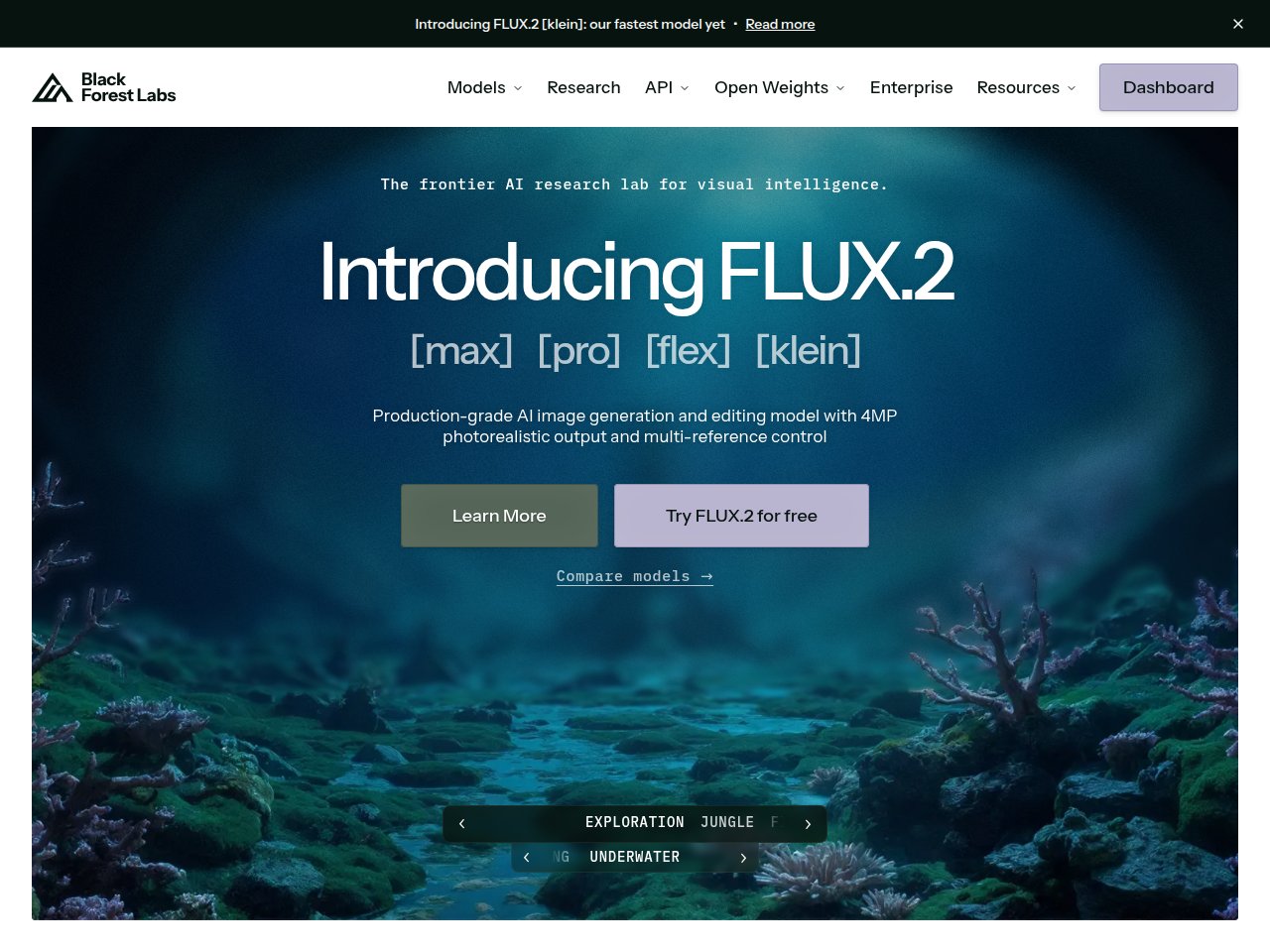
Flux came out of nowhere in late 2024 (from ex-Stable Diffusion developers at Black Forest Labs) and has quickly become the go-to for photorealistic image generation. FLUX.1 Pro produces images that are genuinely hard to distinguish from photographs — skin textures, fabric, environmental lighting all look startlingly real.
The speed is impressive too: FLUX.1 Schnell generates images in under 5 seconds, making it one of the fastest tools available. The three-tier model system (Schnell for speed, Dev for developers, Pro for quality) lets you pick the right balance for each task. API pricing through platforms like SiliconFlow starts at $0.015/image for Dev and $0.04/image for Pro. The free tier on flux-ai.io gives you enough credits to test it properly.
The downside: Flux doesn’t have Midjourney’s artistic flair. It’s technically impressive but aesthetically safe. And the ecosystem is still young — no equivalent of CivitAI’s model library yet, limited editing tools, and the web interface is basic compared to what Midjourney and Leonardo offer.
Best for: Anyone who needs photorealistic images — product mockups, lifestyle photography stand-ins, realistic portraits. Also excellent for developers who want a fast, affordable API for automated image generation.
Ideogram — The Text Rendering Wizard
Every AI image generator struggles with text. Midjourney produces beautiful gibberish. Stable Diffusion gives you letters that look like they’re having a seizure. But Ideogram? Ideogram renders actual readable words with consistent accuracy that borders on witchcraft.
I tested text rendering specifically: I generated 50 images with text requirements (signs, logos, posters, book covers). Ideogram got the text right on 43 out of 50 attempts. The next closest was GPT Image 1.5 at 35/50. Midjourney scored 8/50. If you need text in your AI images — and if you’re making social media graphics, posters, or marketing materials, you absolutely do — Ideogram is the only serious option.
Pricing starts at just $7/month for 400 prompts, with a usable free tier at 10 prompts per day. The image quality beyond text is solid B+ territory — good but not Midjourney-level for artistic work. Magic Prompt intelligently expands brief inputs into detailed prompts, and the style reference feature lets you upload examples to guide the aesthetic.
Best for: Designers creating text-heavy visuals — social media graphics, posters, logos, marketing materials. If readable text in AI images is a requirement, Ideogram is essentially the only game in town.
Leonardo AI — The Generous Free Tier
Leonardo AI is the people’s champion. 150 free tokens daily that reset every single day — no expiration, no catch. That’s enough for roughly 10-15 images per day on standard settings, indefinitely, for free. With commercial rights included. In a market where every other tool is tightening free tiers, Leonardo is going the other direction.
The quality is genuinely good, sitting somewhere between GPT Image and Midjourney. The AI Canvas is a powerful in-browser editor for inpainting, outpainting, and compositional adjustments. Video generation from still images is a nice bonus. Paid plans ($12-48/month) add more tokens, faster generation, custom model training, and higher-resolution outputs.
The Relaxed Generation feature on paid plans is clever — once your premium tokens run out, you can keep generating at lower priority for free, which means you never truly hit a wall. The model selection (including Google’s Veo 3 for video) gives you variety without switching platforms.
Best for: Casual creators, students, and anyone who wants solid AI image generation without paying a subscription. The free tier is genuinely the best in the market. Paid plans compete well with Midjourney Standard for users who don’t need absolute peak artistic quality.
Adobe Firefly — The Corporate Safety Net
Adobe Firefly is the only major AI image generator trained exclusively on Adobe Stock, openly licensed content, and public domain material. That means every image it generates is commercially safe — no lawsuits, no copyright claims, no “we trained on your art without permission” drama. For enterprise and agency use, this alone makes it worth considering.
In February 2026, Adobe introduced unlimited standard generations on all paid plans (starting at $9.99/month). Premium features like text-to-video, partner model access (Google, OpenAI, Runway), and advanced editing tools use a credit system. The integration with Photoshop, Illustrator, and Adobe Express means generated images flow directly into professional editing workflows.
The image quality is decent — maybe a B to B+ in raw output quality. It doesn’t compete with Midjourney on aesthetics or Flux on photorealism. But for marketing materials, social graphics, and commercial content where “safe and good enough” beats “stunning but legally risky,” Firefly fills a real gap.
Best for: Enterprise teams, agencies, and any business where copyright safety is non-negotiable. If your legal department needs to approve creative assets, Firefly is the only AI image generator that won’t give them nightmares. Also excellent for existing Adobe Creative Cloud users who want AI generation inside their current workflow.
The Head-to-Head Comparison Table
| Feature | Midjourney v7 | GPT Image (ChatGPT) | Stable Diffusion 3.5 | Flux Pro | Ideogram | Leonardo AI | Adobe Firefly |
|---|---|---|---|---|---|---|---|
| Starting Price | $10/mo | Free / $20/mo (Plus) | Free (self-host) | Free trial / $9.99/mo | Free / $7/mo | Free (150 tokens/day) | Free / $9.99/mo |
| Artistic Quality | A+ | B+ | B (base) / A (fine-tuned) | A- | B+ | B+ | B |
| Photorealism | A | A- | B+ (base) / A (fine-tuned) | A+ | B | B+ | B |
| Prompt Accuracy | B+ | A+ | B | A- | A- | B+ | B+ |
| Text Rendering | D | B | D | C+ | A+ | C | C+ |
| Speed | B (Fast) / D (Relax) | B+ | Varies (hardware) | A+ (Schnell) | B | B | B+ |
| Customization | B (parameters) | C (conversational only) | A+ (full control) | B | B (style refs) | A- (canvas + models) | B+ (Adobe suite) |
| Copyright Safety | C (unclear training data) | B (OpenAI indemnification) | C (user responsibility) | C (unclear) | C (unclear) | B- (commercial rights) | A+ (licensed data only) |
| Free Tier | None | Limited | Unlimited (self-host) | Trial credits | 10 prompts/day | 150 tokens/day | Limited |
| Learning Curve | Medium | Easy | Hard | Easy | Easy | Easy-Medium | Easy |
The Copyright Question Everyone’s Ignoring
Let’s talk about the elephant in the room. As of March 2026, most AI image generators have been trained on datasets that include copyrighted artwork — often without the artists’ knowledge or consent. Active lawsuits against Stability AI, Midjourney, and DeviantArt are working through the courts. No definitive ruling has been made.
What does this mean for you?
- Adobe Firefly is the only tool trained exclusively on licensed content. If copyright safety is critical for your business, it’s the only zero-risk choice
- OpenAI offers enterprise customers indemnification against copyright claims for GPT Image outputs
- Midjourney, Stable Diffusion, Flux, and others — the legal risk is theoretically on you. In practice, no individual user has been sued for generating AI images, but the legal landscape could change
My take: for personal projects, portfolio work, and social media, use whatever tool gives you the best results. For client work, commercial products, and anything where a cease-and-desist letter would ruin your day, either use Adobe Firefly or get a lawyer’s opinion. This isn’t legal advice — I’m a guy who talks to AI for a living, not an attorney.
My Actual Creative Workflow in 2026
After six weeks of testing everything, here’s how I actually use these tools in my day-to-day:
- Concept exploration: Midjourney v7 Draft Mode — fast, cheap, beautiful. I generate 30-50 variations to nail down the visual direction before committing to anything
- Final hero images: Midjourney v7 Full Mode for artistic/editorial work. Flux Pro for anything that needs to look photorealistic
- Quick social graphics: GPT Image via ChatGPT — describe what I need in plain English, iterate conversationally, export. Done in 2 minutes
- Text-heavy graphics: Ideogram for anything with readable text, then touch up in Canva or Photoshop
- Detailed editing: Stable Diffusion with ComfyUI for inpainting, outpainting, and advanced compositing that the hosted tools can’t do
- Client deliverables: Adobe Firefly when the client or project requires commercially safe assets
Yes, I use five different tools. No, that’s not crazy. Each one genuinely does something the others can’t. If I had to pick just one, it’d be Midjourney — the aesthetic quality outweighs everything else for my work. But “just one” would leave gaps.
What Actually Annoyed Me About AI Image Generation in General
Time for the rant. Here’s what frustrates me about the entire AI image generation space in 2026:
Hands are better but still not solved. V7 and GPT Image 1.5 have made huge improvements, but ask for a group of 5+ people and you’ll still get someone with six fingers or a wrist that bends the wrong way. We’re closer than ever, but “AI hands” is still a thing.
The pricing models are deliberately confusing. Credits, tokens, GPU minutes, Fast hours, Relax mode, Premium vs Standard generations — every tool uses a different unit of measurement. I spent more time calculating cost-per-image across tools than I spent generating images. Just tell me how much each image costs. Please.
Consistency across multiple images is still hard. Midjourney’s Omni Reference is the best solution, but even it struggles with maintaining exact character details across more than 10-15 generations. If you’re building a children’s book or a brand mascot library, expect to spend significant time on curation and regeneration.
Every tool has the same “AI aesthetic.” They’re all converging on a similar look — slightly too perfect, slightly too saturated, slightly too smooth. Experienced visual professionals can spot AI-generated images at a glance, not because of defects, but because of this pervasive “uncanny perfection.” We need more tools that can produce intentionally imperfect, organic-looking output.
Who Should Pick What: My Honest Recommendations
If You’re a Professional Designer or Artist
Midjourney Pro ($60/month) for the aesthetic quality and Stealth mode privacy. Add Stable Diffusion (free) for advanced editing workflows. Keep Ideogram (free tier) for text-heavy assets. Budget: $60/month + your existing GPU.
If You’re a Content Creator or Marketer
ChatGPT Plus ($20/month) handles 80% of your image needs with the easiest workflow. Add Ideogram Basic ($7/month) for social graphics with text. Total: $27/month for a complete image toolkit.
If You’re a Developer or Technical User
Stable Diffusion (free) for local generation with full control. Flux API ($0.015-0.04/image) for production workloads where you need speed and quality without managing infrastructure. The cost is negligible at scale.
If You’re on a Tight Budget
Leonardo AI (free, 150 tokens/day) is your main tool. Supplement with Ideogram (free, 10 prompts/day) for text needs and ChatGPT Free for occasional generation. Total cost: $0.
If You Run an Agency or Enterprise
Adobe Firefly Premium ($199.99/month) for commercially safe, unlimited generation with Creative Cloud integration. Add Midjourney Standard ($30/month) for creative concepting when copyright isn’t a concern. Budget: ~$230/month for a legally bulletproof creative pipeline.
The Bottom Line
The AI image generation market in 2026 is the most competitive — and most confusing — it’s ever been. Midjourney is still the artistic champion but no longer the only serious option. GPT Image has made DALL-E’s successor into something you actually want to use. Stable Diffusion remains the freedom fighter’s choice. And newcomers like Flux and Ideogram have found genuine niches that the incumbents can’t match.
My honest advice? Start with the free tiers. Leonardo’s 150 daily tokens and Ideogram’s 10 daily prompts will tell you a lot about what you actually need from an AI image generator. If you find yourself wanting better aesthetics, try Midjourney’s $10 Basic plan. If you’re already in ChatGPT, just start asking it for images — you might not need anything else.
The “best” AI image generator is the one that fits how you work. Midjourney for artists. GPT Image for ease of use. Stable Diffusion for control. Flux for photorealism. Ideogram for text. Firefly for safety. Pick the one that matches your priority, not someone else’s benchmark score.
And if you’re coming from my AI writing tools comparison, yes — AI is now better at making pictures than writing paragraphs. Make of that what you will.
— Frankie
Related: Best AI Writing Tools 2026 | Best AI Chatbots 2026
🔔 Don’t miss the next review
Frankie tests AI tools so you don’t waste money on hype. Get weekly picks — no spam, no affiliate garbage, just honest reviews.
FAQ
What is the best AI image generator for beginners in 2026?
GPT Image via ChatGPT Plus ($20/month) is the easiest to use — just describe what you want in plain English and iterate conversationally. If you want free, Leonardo AI gives you 150 tokens daily with no signup hassle. Both have gentle learning curves and produce solid results without any technical knowledge. Midjourney produces better images but has a steeper learning curve with its parameter system.
Is Midjourney worth the price without a free trial?
If you care about aesthetic quality, yes. Midjourney v7 produces the most visually stunning AI images available in 2026. The $10/month Basic plan is a reasonable entry point to see if the quality matches your needs. If you primarily need functional images (product shots, social media graphics), you can get 80% of the quality from free tools like Leonardo or your existing ChatGPT subscription.
Which AI image generator handles text in images best?
Ideogram is the clear winner for text rendering, scoring 86% accuracy in my testing compared to 70% for GPT Image 1.5 and just 16% for Midjourney. If your work involves posters, social media graphics, logos, or any visual with readable words, Ideogram is essentially the only reliable option. GPT Image 1.5 is a decent second choice for short text strings.
Can I use AI-generated images commercially?
Most tools grant commercial usage rights on paid plans, but copyright safety varies. Adobe Firefly is the only tool trained exclusively on licensed content — it’s the safest choice for commercial use. OpenAI offers enterprise indemnification for GPT Image outputs. Midjourney, Stable Diffusion, and others operate in a legal gray area regarding training data. For personal and small business use, the practical risk is currently low. For enterprise or high-stakes commercial work, consult a lawyer or stick with Firefly.
Do I need a powerful computer to use AI image generators?
Only for Stable Diffusion, which runs locally and requires an NVIDIA GPU with at least 8GB VRAM (16GB recommended). All other tools on this list are cloud-based — they run on the provider’s servers and work on any device with a web browser. Your internet connection matters more than your hardware for cloud tools. If you have an older computer or a Chromebook, stick with cloud-based options like Midjourney, ChatGPT, Ideogram, or Leonardo.
How do AI image generators compare to hiring a human designer?
AI image generators are excellent for concept exploration, quick iterations, social media graphics, and placeholder visuals. They’re faster and cheaper than human designers for high-volume, lower-stakes work. But for brand identity, complex compositions with specific requirements, and work that needs to be legally bulletproof, human designers still produce superior results. The best workflow in 2026 combines both: use AI for rapid concepting and first drafts, then bring in a human designer to refine, adjust, and finalize. Think of AI as a very fast junior designer, not a replacement for your creative director.