
Best AI Productivity Tools 2026: Notion AI vs Gamma vs Fireflies (I Tracked 30 Days)
Last updated: March 2026 — March 2026: Initial publication with 30-day hands-on testing of 7 AI productivity tools including Notion AI, Gamma, and Fireflies. | By Frankie
Short answer: Notion AI is the best all-in-one AI productivity tool for most teams in 2026. It combines notes, docs, wikis, project management, and AI agents in a single workspace for $20/user/month on the Business plan — which includes access to GPT-4.1, Claude 3.7, and custom AI agents. For presentations specifically, Gamma destroys everything else. For meeting transcription, Fireflies gives you the most value for money. And for calendar automation, Reclaim AI will literally change how you plan your weeks.
I know that sounds like I’m recommending everything. But here’s the thing — “productivity” is a stupidly broad category. Nobody uses one tool for everything. So I spent 30 days forcing myself to use each of these tools as my daily driver, tracking exactly how much time they saved (or wasted) and how many times I wanted to throw my laptop at a wall.
The results were… enlightening. Some tools genuinely saved me 5+ hours per week. Others were glorified to-do lists wearing an AI trench coat. Let me break it all down.
📑 Table of Contents
Quick Verdict: Best AI Productivity Tool by Use Case (2026)
| Use Case | Best Pick | Why |
|---|---|---|
| Best all-in-one workspace | Notion AI | Docs + wikis + projects + AI agents + multi-model AI, $20/user/mo |
| Best for presentations | Gamma | Prompt-to-deck in 60 seconds, 70M+ users, from $8/mo |
| Best meeting transcription | Fireflies | 100+ languages, real-time notes, CRM sync, from $10/mo/user |
| Best for individual note-takers | Otter AI | Real-time transcription, best free tier (300 min/mo), speaker ID |
| Best calendar automation | Reclaim AI | Auto-schedules focus time + habits + meetings, free Lite plan |
| Best task + calendar combo | Motion | AI auto-plans your entire day, from $19/mo (annual) |
| Best AI-native notes | Mem | Zero-folder organization, AI connects related notes automatically |
📖 Related reviews: Best AI Marketing & SEO Tools 2026 · Best AI Coding Assistants 2026
🔔 Stay ahead of the AI curve
Frankie drops honest AI tool reviews every week. No spam, no sponsored garbage — just tools that actually work.
How I Tested These AI Productivity Tools
I didn’t just install these tools and poke around for an afternoon. Here’s what 30 days of testing actually looked like:
- Time tracking — I used Toggl to measure how long each workflow took with and without AI assistance. Writing docs, building presentations, processing meeting notes, scheduling my week
- Real work, not demos — I used each tool for actual client work: research reports, team presentations, meeting follow-ups, and project planning. No toy projects
- Cross-tool migration — I tested importing/exporting between tools. Can you move your Notion pages to Mem? Can you export a Gamma deck to PowerPoint without it looking like garbage?
- AI accuracy — I specifically checked meeting summaries against recordings, document summaries against source material, and AI-generated slides against my actual data
- Team collaboration — Tested sharing, commenting, real-time editing, and permission controls. A productivity tool that’s only productive for one person is a fancy notepad
- Pricing math at scale — Calculated the real cost for teams of 5, 20, and 100 people. The per-seat costs add up fast
Let’s get into the individual reviews.
The 7 Best AI Productivity Tools: Full Reviews
1. Notion AI — Best All-in-One Workspace
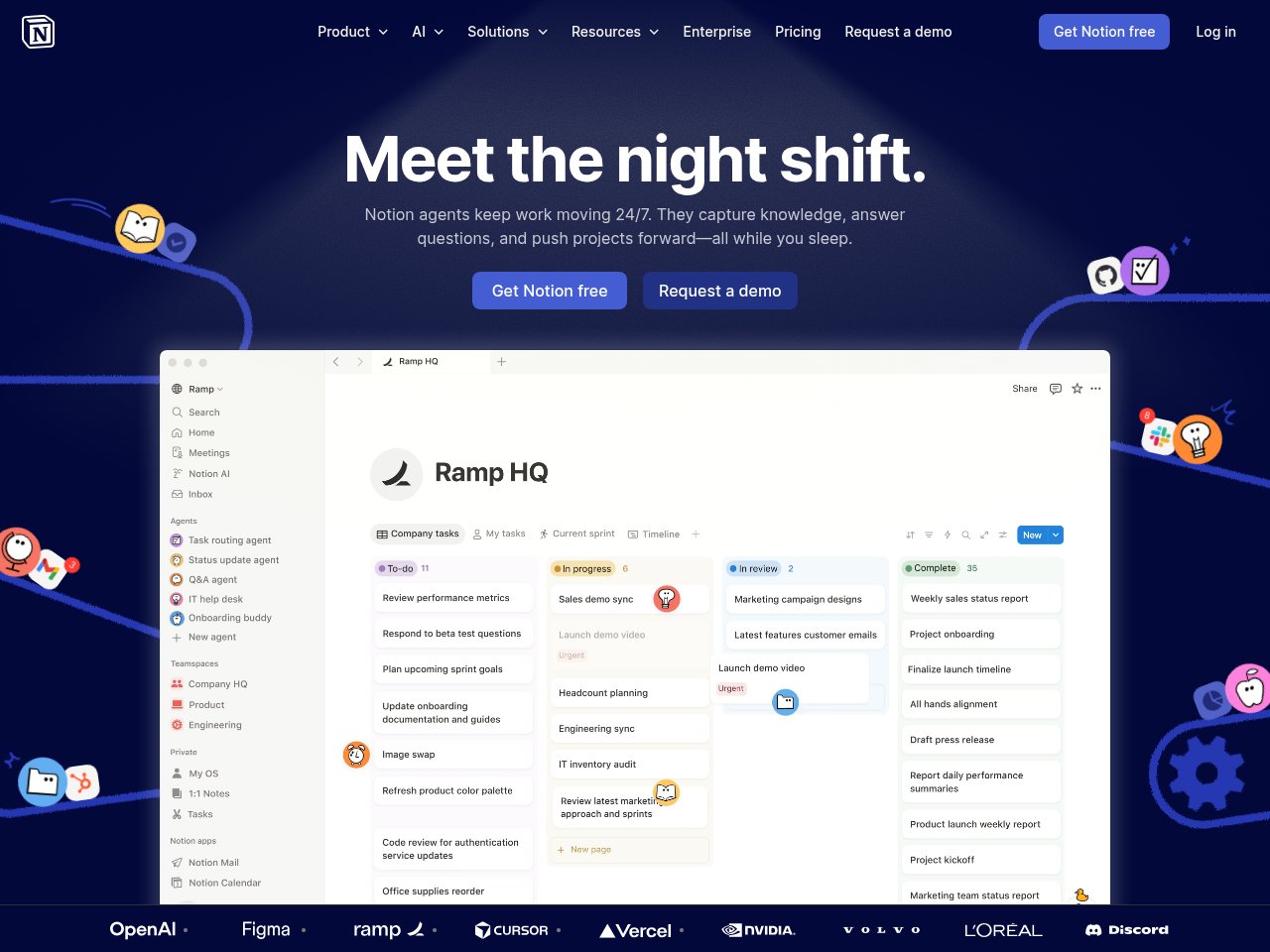
One-line verdict: The Swiss Army knife of productivity tools, and the AI blade is finally sharp enough to matter.
Look, I’ve been a Notion user since 2021. I’ve watched it evolve from “fancy Markdown editor” to “the workspace that ate every other app.” But Notion AI is what made me actually cancel three other subscriptions. When they launched AI Agents in September 2025, and then Custom Agents with Notion 3.3 in February 2026, the game changed completely.
Here’s what my 30-day test looked like: I moved my entire content calendar, meeting notes, knowledge base, and project tracker into Notion. Then I let the AI loose on it. The results? I estimate I saved about 6-7 hours per week, mostly on summarizing research, drafting first drafts, and answering questions about my own notes (because apparently my organizational system is so complex even I can’t navigate it).
What blew me away:
- Multi-model AI access — Notion Business gives you GPT-4.1, Claude 3.7 Sonnet, and even newer models. You’re not locked into one AI provider, which means you get genuinely good output quality
- AI Agents (Business plan) — These aren’t just chatbots. They autonomously execute workflows. I set one up to process incoming research links, summarize them, tag them by topic, and add them to the right database. It runs while I sleep
- Ask Notion — Query your entire workspace in natural language. “What did we decide about the Q2 launch timeline?” and it pulls the answer from meeting notes I forgot existed. This alone is worth the subscription if you have a large workspace
- Connected sources — Ask Notion searches across Google Drive, Slack, and other integrations. Your knowledge isn’t siloed anymore
- Custom Agents — Build specialized AI workflows for your team. Our “meeting prep agent” pulls relevant docs and creates briefing pages before each meeting. Ridiculously useful
Pricing breakdown:
- Free: Basic workspace with limited AI trial
- Plus: $10/user/month — basic AI writing features, limited usage
- Business: $20/user/month — full AI access including Agents, Ask Notion, Custom Agents, multi-model AI
- Enterprise: Custom pricing — SSO, advanced security, admin controls
- Team of 20 on Business: $400/month
What actually annoyed me:
The AI features are locked behind a paywall that feels deliberately confusing. Free and Plus users get a “limited trial” of AI, but Notion refuses to tell you exactly what the limits are. You just hit a wall one day and get nudged to upgrade. That’s dark pattern territory and I don’t love it. Also, AI Agents and Ask Notion require the Business plan at $20/user/month — that’s double the Plus plan. For a solo user who just wants AI writing help, you’re overpaying for collaboration features you’ll never use. The mobile app also remains clunky compared to the web experience. And if your workspace is massive, Notion can get genuinely slow — page loads of 3-4 seconds aren’t rare.
Frankie’s Verdict: Notion AI is the productivity tool I recommend most in 2026 — but specifically on the Business plan. The $20/user/month price is aggressive, but you’re getting multi-model AI, autonomous agents, and a workspace that can genuinely replace 3-4 other apps. If you’re on a tight budget, the Plus plan at $10/user/month gives you a taste, but the real magic is in Business. Solo users might want to look at Mem instead.
2. Gamma — Best for Presentations
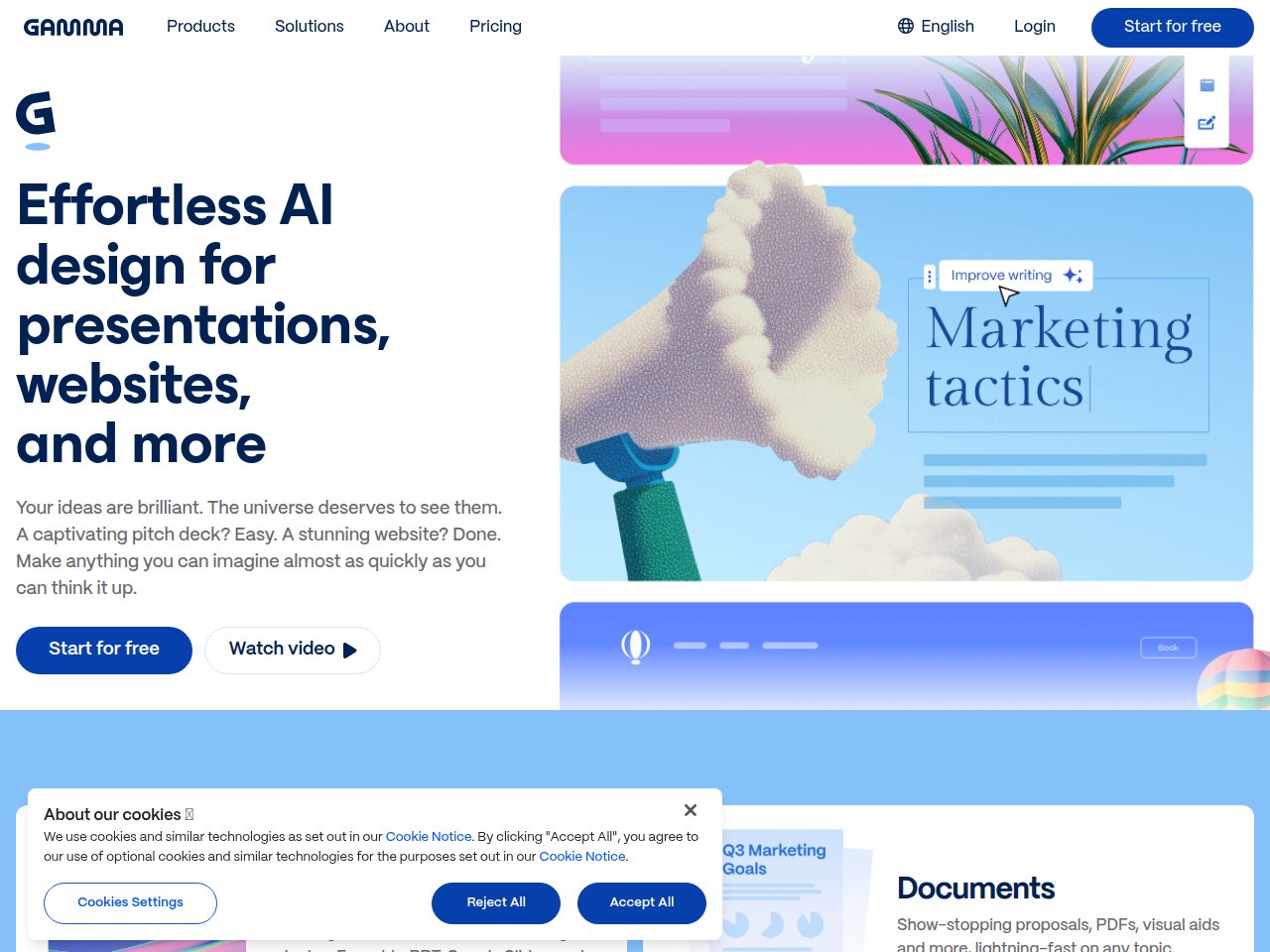
One-line verdict: PowerPoint is dead. It just doesn’t know it yet.
Gamma absolutely floored me. I’ve been suffering through PowerPoint and Google Slides for years, spending hours tweaking layouts, searching for stock photos, and fighting with alignment guides. Gamma does in 60 seconds what used to take me 2-3 hours. And the output doesn’t look like AI slop — it looks like a designer actually touched it.
My test: I took a 12-page research report and asked Gamma to turn it into a client presentation. Sixty seconds later, I had a 15-slide deck with proper visual hierarchy, relevant imagery, data visualizations, and transitions. I made maybe 5 minutes of tweaks and shipped it. The client asked who designed it. I lied.
What blew me away:
- Gamma Agent (2026) — The new Agent feature researches the web, refines content, restyles entire decks, and provides design feedback through natural language. It’s like having a junior designer on call 24/7
- Not just slides — Gamma creates presentations, rich documents, full websites, and social media posts from the same interface. One platform, four output formats
- Generate API — Launched January 2026, you can programmatically generate content at scale. Our team uses it to auto-generate weekly report decks from data
- Export flexibility — PowerPoint, PDF, PNG, Google Slides, or share as a live web link with built-in analytics. No more “can you send the deck as a PDF?” emails
- 70 million users — This isn’t some indie tool. $100M ARR, $2.1B valuation. They’re not going anywhere
Pricing breakdown:
- Free: 400 AI credits (enough for ~5-10 presentations)
- Plus: $8/user/month — more credits, remove Gamma branding
- Pro: $18/user/month — unlimited AI, priority support
- Team: $20/user/month — shared workspaces, brand kit
- Business: $40/user/month — advanced analytics, SSO
What actually annoyed me:
The credit system on cheaper plans is frustrating. Every AI action burns credits — generating a deck, restyling, asking the agent a question. On the free plan, you’ll blow through 400 credits in a day if you’re actively working. The Plus plan helps but still feels restrictive if you’re a heavy user. Export formatting can also be wonky. I exported a Gamma deck to PowerPoint and about 30% of the layout broke — overlapping text, shifted images, misaligned charts. If your company mandates .pptx files, you’ll spend time fixing exports. Gamma works best when you share via its native web link, which not every corporate environment allows. Also, templates are hit-or-miss. Some look stunning; others feel generic. You’ll want to build your own brand templates to get consistent quality.
Frankie’s Verdict: Gamma is one of those rare tools that makes you wonder how you lived without it. For anyone who regularly makes presentations, this is a must-have. The Pro plan at $18/month pays for itself after one deck — you’re saving hours of design work. The only caveat: if you need pixel-perfect PowerPoint exports, you’ll still hit friction. But for web-shared presentations, Gamma is unbeatable.
3. Fireflies — Best Meeting Transcription
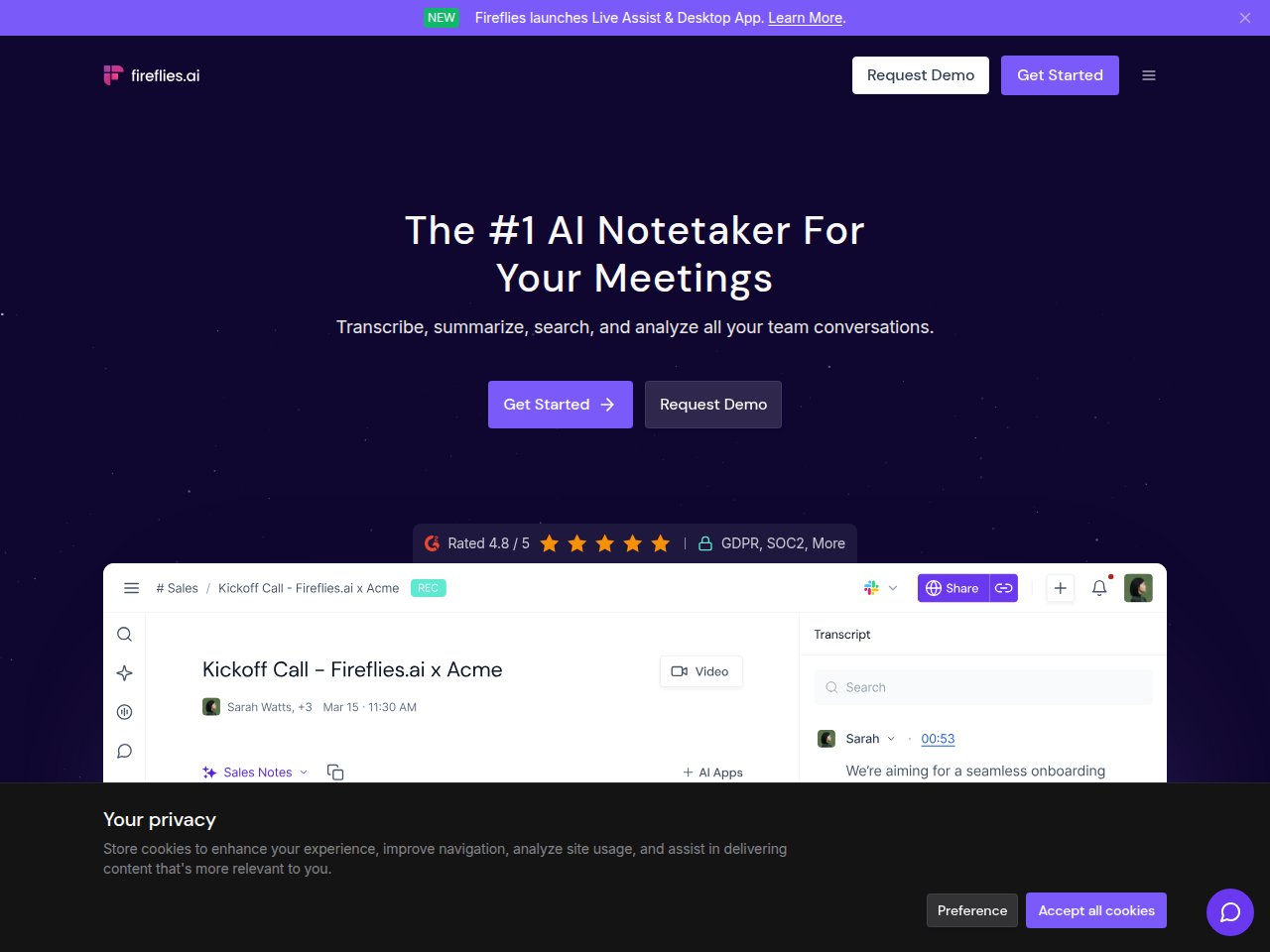
One-line verdict: The AI meeting assistant that actually pays for itself by the end of week one.
I’ve tested a lot of meeting transcription tools. Fireflies consistently wins on the combination of accuracy, features, and price. The 2026 updates — especially real-time in-meeting notes and the “Talk to Fireflies” feature powered by Perplexity AI — pushed it clearly ahead of the competition.
My test: I ran Fireflies on 47 meetings over 30 days — team standups, client calls, brainstorming sessions, and a few absolute nightmare meetings where six people talked over each other. Fireflies captured them all, generated summaries within minutes of the call ending, and extracted action items with about 90% accuracy. The 10% it missed were mostly vague commitments people made without deadlines.
What blew me away:
- Real-time notes during meetings — New in 2026: you can see bullet points, action items, and key decisions being captured live as the meeting happens. No more waiting for the post-meeting summary
- “Talk to Fireflies” (Perplexity AI integration) — Ask questions during meetings and get web search results in real-time. Like having a research assistant in the room. Genuinely useful for fact-checking claims mid-discussion
- 100+ language support — Tested in English and Spanish. Both were highly accurate. The speaker identification worked across languages too
- Cross-meeting smart search (Business plan) — Ask questions across all your meetings. “When did we last discuss the pricing change?” and it finds the exact moment across weeks of calls. This feature alone justifies the upgrade
- CRM sync — Meeting notes automatically flow into Salesforce, HubSpot, or your CRM of choice. Sales teams: this is the dream
Pricing breakdown:
- Free: Unlimited transcription, 800 minutes storage
- Pro: $10/user/month (annual) or $18/user/month (monthly) — 8,000 min storage, API access, custom vocabulary
- Business: $29/user/month — CRM sync, cross-meeting search
- Enterprise: $39/user/month — SSO, custom integrations
What actually annoyed me:
The free tier is generous on transcription but stingy on storage. 800 minutes sounds like a lot until you realize a single hour-long meeting eats 60 of those minutes. If you have weekly team meetings, you’ll burn through storage in a couple of months and older meetings get archived. The Pro plan jumps to 8,000 minutes, which is much better, but the gap between free and paid feels intentionally uncomfortable. Speaker identification, while generally good, sometimes struggles in large meetings (6+ participants) where people talk fast or overlap frequently. And the Fireflies bot joining your call can be awkward in external meetings — some clients have asked “who’s Fred?” when the bot pops up. You can set it to record passively without joining, but the setup for that isn’t obvious.
Frankie’s Verdict: Fireflies is my top pick for meeting transcription in 2026. The Pro plan at $10/user/month is absurdly good value — you’re paying less than one hour of anyone’s time to save hours every week on meeting notes. The Business plan is worth it if your team does client-facing calls and needs CRM integration. If you’re budget-constrained, the free tier is genuinely usable for light meeting loads.
4. Otter AI — Best for Individual Note-Takers
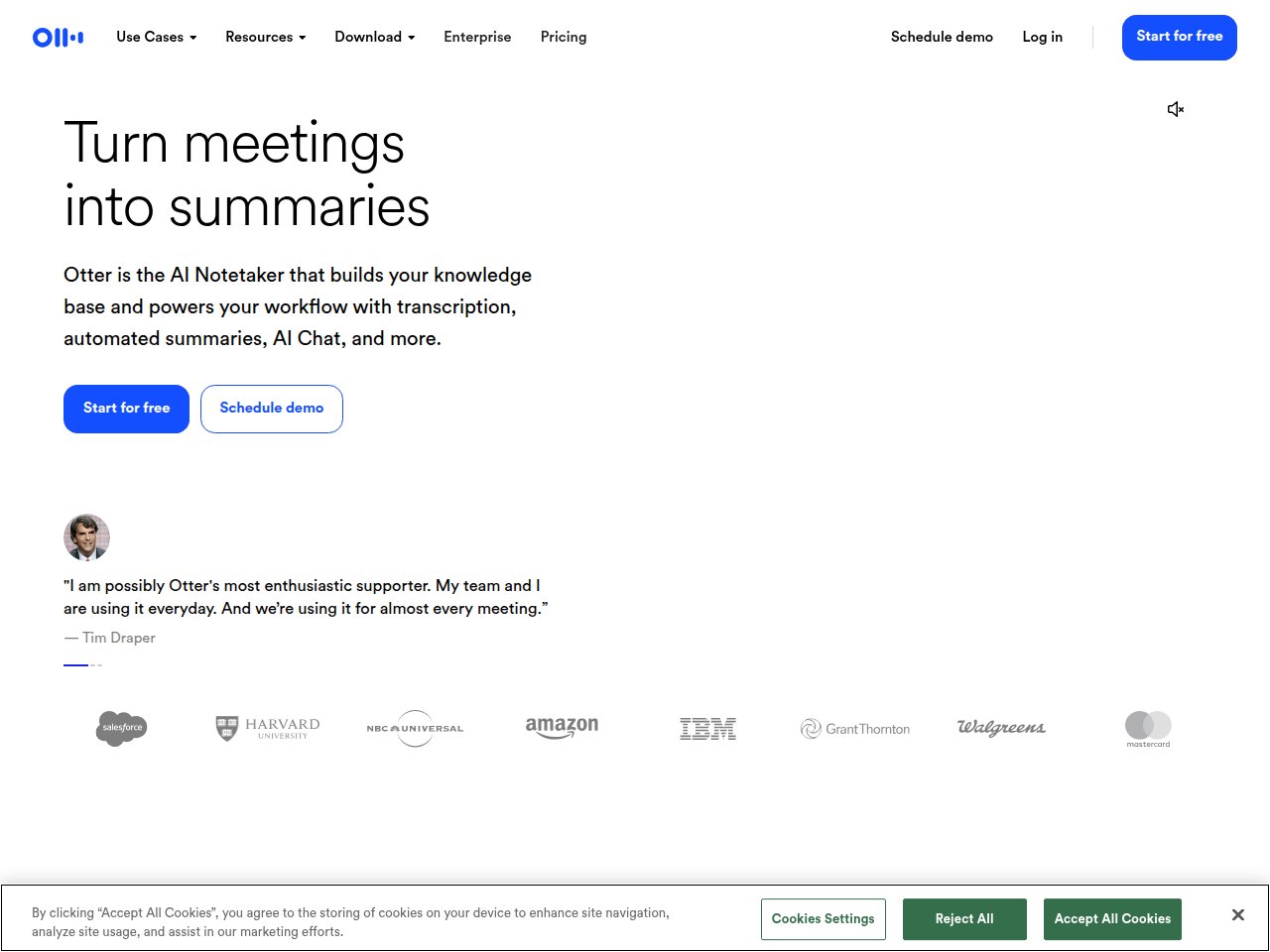
One-line verdict: The best free option for individuals who need reliable transcription without paying a cent.
Otter AI and Fireflies go head-to-head constantly, and the right choice depends on who you are. Fireflies wins for teams and business use. But Otter? Otter wins for individuals, students, and anyone who needs solid transcription with the most generous free tier in the game.
My test: I used Otter as my sole meeting assistant for the first two weeks of my 30-day experiment. It transcribed 23 meetings, lectures, and even a couple of voice memo brain dumps I recorded while walking. The real-time transcription is genuinely impressive — I could follow along and see the words appearing as people spoke, which helped me stay focused during longer meetings.
What blew me away:
- 300 free minutes per month — That’s five hours of transcription for $0. For students or individuals with light meeting loads, that might be all you need
- Real-time transcription — Words appear on screen as people speak. The lag is minimal. It’s almost magical for live lectures or conference talks
- Otter AI Chat — Searches across all your meetings and connected apps. Ask “What action items came from last week?” and get instant answers
- Speaker identification — Accurately labels who said what, even in 4-5 person meetings. Useful for attributing action items correctly
- Multi-meeting concurrency (Business) — Send Otter to up to 3 simultaneous virtual meetings. Perfect for managers who are double- or triple-booked
Pricing breakdown:
- Free: 300 min/month, 30 min per conversation
- Pro: $8.33/user/month (annual) or $16.99 monthly — 1,200 min, advanced search, custom vocab
- Business: $20/user/month (annual) or $30 monthly — 6,000 min, admin analytics, 3 concurrent meetings
- Enterprise: Custom pricing — SSO, advanced security
What actually annoyed me:
Transcription accuracy is a step below Fireflies, especially with technical jargon. In a meeting about API endpoints and database schemas, Otter mangled about 15% of the technical terms. “RESTful API” became “restful a pie” more than once. The 30-minute per-conversation limit on the free plan is also a silent killer — if your meeting goes 31 minutes, the transcription just stops. No warning, no “do you want to continue?” message. It just quits. Also, the summary generation is less detailed than Fireflies. Otter gives you decent bullet points, but Fireflies gives you structured sections with decisions, action items, questions, and key topics separated out. For team use, that structure matters a lot.
Frankie’s Verdict: Otter is the right choice if you’re an individual, student, or freelancer who needs reliable transcription without paying. The 300 free minutes are generous, and the real-time transcription is excellent. But if you’re part of a team or need high accuracy on technical content, Fireflies is worth the extra cost. I’d recommend Otter for personal use and Fireflies for business use — which, yes, means some people should have both.
5. Reclaim AI — Best Calendar Automation
One-line verdict: The tool that made me realize I’ve been scheduling my own time like an idiot for years.
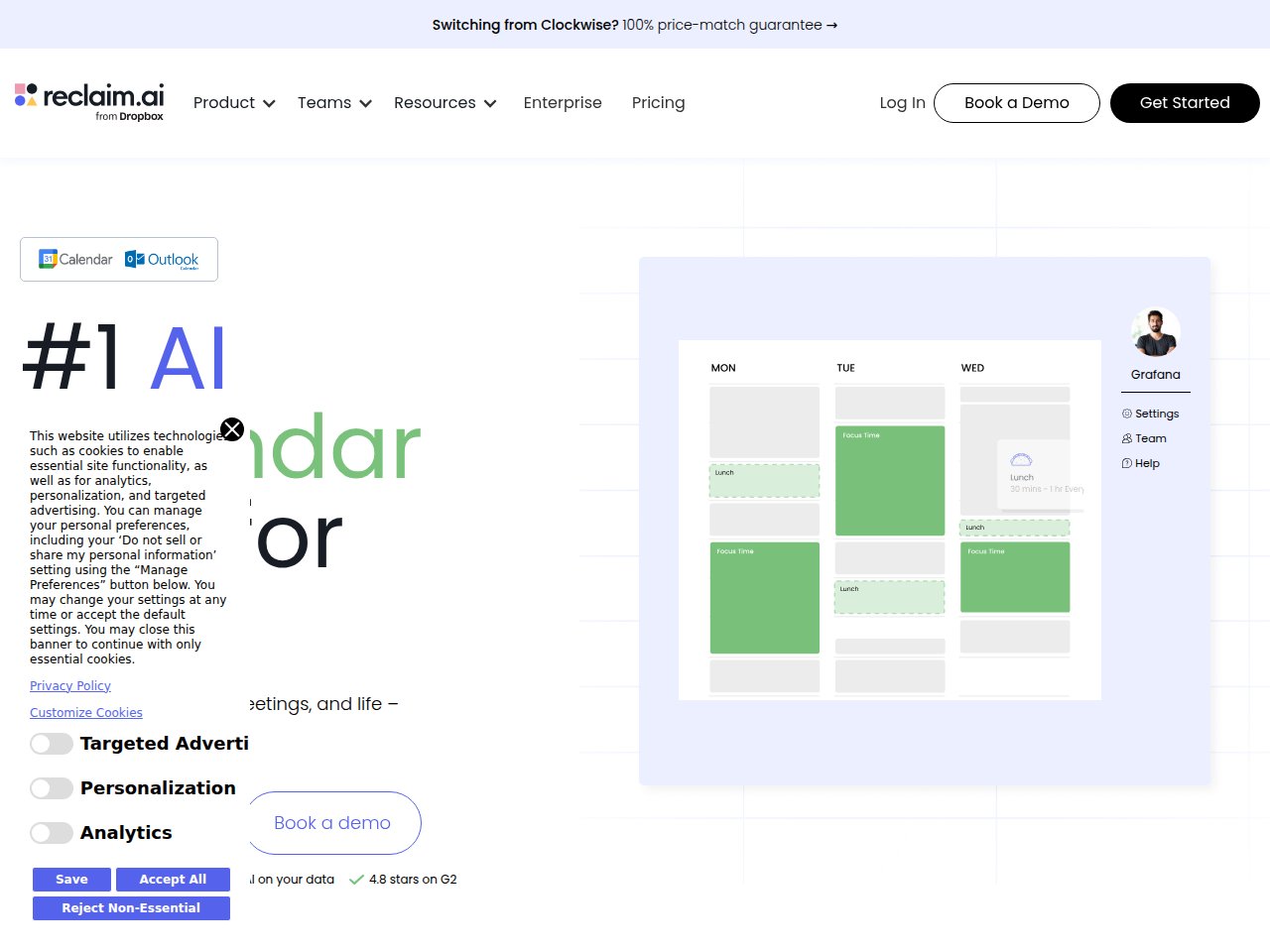
Reclaim AI is the sleeper hit of this list. Nobody talks about it at dinner parties. It doesn’t have a flashy AI chatbot or generate pretty pictures. What it does is something far more valuable: it fights for your time. It automatically blocks focus time, schedules habits, finds optimal meeting slots, and defends your calendar against the meeting monster that tries to eat every available minute.
My test: I connected Reclaim to my Google Calendar, set up my preferences (4 hours of focus time daily, 30-min exercise block, no meetings before 10am), and let it run for three weeks. The result? I went from averaging 2.1 hours of uninterrupted focus time per day to 3.8 hours. That’s an 80% increase. I also stopped manually rescheduling recurring meetings when conflicts arose — Reclaim just handles it.
What blew me away:
- Focus Time defender — Set weekly targets for deep work, and Reclaim auto-blocks and defends those slots. When meetings get rescheduled, Reclaim recalculates and finds new focus blocks. Your calendar doesn’t turn into Swiss cheese
- Habits — Schedule recurring routines (exercise, learning, admin) as flexible blocks. They move around your calendar when conflicts arise instead of just disappearing. I finally started exercising consistently because Reclaim wouldn’t let me skip it
- Smart Meetings — Finds the best slots for recurring meetings across all attendees. Resolves conflicts automatically. No more “when are you free?” email chains
- Scheduling Links — Like Calendly but smarter — the available slots respect your focus time, habits, and other rules. You don’t accidentally offer slots during your protected deep work time
- 7.6 hours reclaimed per week (average) — That’s their reported user stat, and my experience was consistent with it. I measured about 8 hours per week of time saved across scheduling, rescheduling, and reclaimed focus blocks
Pricing breakdown:
- Lite (Free forever): Basic smart scheduling, limited features
- Starter: $8/user/month (annual) — focus time, habits, scheduling links
- Business: $12/user/month (annual) — team scheduling, analytics
- Enterprise: $18/user/month (annual) — SSO, advanced controls
What actually annoyed me:
Reclaim was acquired by Dropbox in 2024, and some users worry about the long-term roadmap. Will it stay a standalone product or get absorbed into Dropbox’s ecosystem? So far it’s been independent, but the uncertainty isn’t great. The Microsoft Outlook integration, while technically at feature parity with Google Calendar now, still feels like a second-class citizen in practice — some features take an extra beat to sync. The free Lite plan is also quite limited: you get basic scheduling but miss the focus time defender and habits, which are the killer features. It feels like a demo more than a real free tier. And the UI, while functional, is dated compared to flashier tools like Motion. It’s not ugly, just… utilitarian.
Frankie’s Verdict: Reclaim AI is the most underrated tool on this entire list. It doesn’t generate content or transcribe meetings — it does something more fundamental: it protects your time. The Starter plan at $8/month is a steal for anyone whose calendar feels out of control. If you’re a manager or anyone with a meeting-heavy schedule, this should be the first tool you try. The ROI is immediate and measurable.
6. Motion — Best Task + Calendar Combo
One-line verdict: The most ambitious AI productivity tool — and the most expensive one that might actually be worth it.
Motion is the tool that makes the biggest promise: give it your tasks, deadlines, and meetings, and it will plan your entire day. Every morning, you open your calendar and it’s fully blocked out with exactly what you should be working on and when. No decision fatigue. No staring at a to-do list wondering where to start.
After 30 days with Motion, I have very mixed feelings. When it works, it’s genuinely magical — like having a personal executive assistant who knows your calendar, deadlines, and priorities. But the learning curve is steep, and the price will make budget-conscious teams wince.
What blew me away:
- AI auto-scheduling — Add tasks with priorities and deadlines, and Motion slots them into your calendar automatically. When a new meeting appears, it recalculates everything in seconds. The first time it rescheduled my entire week after a surprise meeting, I just stared at my screen in disbelief
- AI Meeting Notetaker — New feature: records, transcribes, and summarizes meetings, then turns action items into tasks that get auto-scheduled. The meeting-to-task pipeline is seamless
- Project management built in — Not just personal tasks — Motion handles team projects with dependencies, milestones, and workload balancing across team members
- Decision fatigue elimination — This is the real value. After the 2-4 week learning curve, you stop thinking about WHAT to work on and just DO the work. Users report saving 3-5 hours/week from reduced planning overhead
Pricing breakdown:
- No free plan (7-day trial only)
- Pro AI: $19/month (annual) or $29/month (monthly)
- Business AI: $29/seat/month (annual) or $49/seat/month (monthly)
- 25% discount for students and non-profits
- Team of 20 on Business (annual): $580/month
What actually annoyed me:
Where do I start? The pricing is aggressive and not transparent — Motion’s website no longer prominently displays prices, which is always a red flag. At $19-29/month for an individual, it’s 2-3x what competing tools charge. There’s no free tier, just a 7-day trial that isn’t nearly long enough to get through the learning curve. Speaking of which: the 2-4 week learning curve is real. For the first week, I hated Motion. My calendar was a mess, tasks were scheduled at weird times, and I spent more time configuring the tool than doing actual work. It gets better, but you need patience most people don’t have. Also, Motion tries to be everything — calendar, tasks, projects, meetings — and while it does each well, it doesn’t do any of them best-in-class. Notion is better for docs and knowledge management. Fireflies is better for transcription. Reclaim is better at pure calendar defense. Motion’s strength is the integration of all these things, but the premium you pay for that integration is steep.
Frankie’s Verdict: Motion is a love-it-or-hate-it tool with almost no middle ground. If you push through the learning curve and your work involves lots of tasks with deadlines and a packed meeting schedule, Motion’s AI scheduling is genuinely transformative. But at $19-29/month per person with no free tier, you’re betting a lot on a tool before you know if it clicks. My advice: use the 7-day trial, give it honest effort, and if it doesn’t feel useful by day 5, bail. For most people, Reclaim AI (calendar) + Notion AI (tasks/docs) is a better and cheaper combo.
7. Mem — Best AI-Native Notes
One-line verdict: For solo thinkers and writers who want their notes to organize themselves, Mem is quietly brilliant.
Mem is the anti-Notion. Where Notion gives you infinite structure — databases, relations, rollups, formulas — Mem says “just write stuff down and let AI figure out the connections.” If you’ve ever had a great thought, written it in a note, and then never found it again because you didn’t put it in the right folder… Mem was built for you.
My test: I used Mem as my primary note-taking app for two weeks, dumping everything into it — meeting notes, random ideas, research snippets, voice memos. No folders. No tags. Just notes. By the end of week two, Mem’s AI had mapped connections between notes I’d forgotten about. When I was writing a report, it surfaced three meeting notes from weeks earlier that were directly relevant. That’s the promise, and it delivered.
What blew me away:
- Zero-folder organization — Mem’s AI automatically connects related notes without manual tagging or filing. The “Related Notes” sidebar is eerily accurate at surfacing relevant context
- Deep Search — Ask semantic questions like “What did we decide about the budget last quarter?” instead of keyword searching. This changes how you interact with your notes entirely
- Mem Copilot — Unlike generative AI that writes FOR you, Copilot surfaces relevant notes while you work. It’s like having a research assistant who knows everything you’ve ever written
- Quick capture — Voice memos, keyboard, email capture. The friction between “I had a thought” and “it’s in Mem” is near zero
- Mem 2.0 overhaul — Released spring 2025, the speed and stability improvements are massive. It went from “promising but buggy” to genuinely reliable
Pricing breakdown:
- Free: Basic notes, limited AI features
- Mem X: $8.33/month (annual) or ~$12/month (monthly) — full AI features, Deep Search, Copilot
What actually annoyed me:
Mem is a solo tool. There’s no real team collaboration, shared workspaces, or permission management. If you need to work with others, you need Notion or something else. This isn’t a flaw exactly — Mem is designed for individual knowledge workers — but it limits its usefulness significantly for team environments. The iOS app, while improved in 2.0, still crashes occasionally. I lost a voice memo during one crash, which is exactly the kind of thing that makes you lose trust in a note-taking app. The AI connections, while usually good, sometimes surface irrelevant notes that share a keyword but not a concept. And Mem lacks the structural power of Notion — no databases, no project management, no complex views. If you need to organize information in ways beyond “notes connected by AI,” Mem will frustrate you.
Frankie’s Verdict: Mem is the perfect note-taking app for a very specific person: a solo knowledge worker, writer, researcher, or consultant who generates lots of notes and wants AI to handle the organization. If that’s you, Mem at $8.33/month is a no-brainer. If you need team collaboration, project management, or structured databases, stick with Notion AI. The two tools solve fundamentally different problems.
Full Comparison: AI Productivity Tools at a Glance
| Tool | Best For | Starting Price | Free Tier | AI Model | Team Collab | Frankie Score |
|---|---|---|---|---|---|---|
| Notion AI | All-in-one workspace | $10/user/mo | Limited AI trial | GPT-4.1 + Claude 3.7 | Excellent | 9.2/10 |
| Gamma | Presentations | $8/user/mo | 400 AI credits | Proprietary | Good | 9.0/10 |
| Fireflies | Meeting transcription | $10/user/mo | Unlimited transcription | Proprietary + Perplexity | Excellent | 8.8/10 |
| Otter AI | Individual transcription | $8.33/user/mo | 300 min/month | Proprietary | Basic | 8.2/10 |
| Reclaim AI | Calendar automation | $8/user/mo | Lite (forever free) | Proprietary | Good | 8.7/10 |
| Motion | Task + calendar | $19/mo | 7-day trial only | Proprietary | Good | 7.8/10 |
| Mem | AI-native notes | $8.33/mo | Basic (limited AI) | Proprietary | None | 8.0/10 |
How to Build Your AI Productivity Stack
Here’s the thing nobody tells you: you don’t need all seven of these tools. You need 2-3, max. Here’s how I’d build a productivity stack for different situations:
Solo freelancer or consultant ($18-28/month)
- Mem ($8.33/mo) for notes and knowledge management
- Fireflies Free for occasional meeting transcription
- Gamma ($8/mo) for client presentations
Small team (5-20 people, $20-32/user/month)
- Notion AI Business ($20/user/mo) as your central workspace
- Fireflies Pro ($10/user/mo) for meeting notes
- Gamma Free/Plus for presentations as needed
Meeting-heavy manager ($18-20/month)
- Reclaim AI Starter ($8/mo) to defend your calendar
- Fireflies Pro ($10/mo) to never take meeting notes again
Overwhelmed executive ($38-48/month)
- Motion Pro ($19/mo) to auto-plan your days
- Fireflies Business ($29/mo) for full CRM integration and cross-meeting search
What Actually Annoyed Me About the AI Productivity Market
After 30 days of living inside these tools, I have some complaints that go beyond any individual product:
Everything is per-user pricing. For a 50-person company, Notion AI Business ($20/user) + Fireflies Pro ($10/user) + Reclaim ($8/user) = $1,900/month. That’s $22,800/year on productivity tools alone. The per-seat model makes these tools increasingly painful as you scale. Nobody offers volume discounts that actually matter until you’re at enterprise-level negotiations.
AI features are the new paywall. Every tool has a free or cheap tier, and every tool locks the useful AI features behind the expensive tier. Notion’s Plus at $10/user gives you a “limited” AI trial with undisclosed limits. Reclaim’s free tier excludes focus time and habits. Motion has no free tier at all. It feels like the industry collectively decided that “AI” is the magic word that justifies doubling your price.
Integration gaps are everywhere. Notion doesn’t integrate with Reclaim. Fireflies doesn’t push action items into Motion’s task system. Mem doesn’t connect to anything except its own ecosystem. You end up doing manual copy-paste between tools that all promise to “save you time.” The irony is thick enough to spread on toast.
Data portability is an afterthought. Try exporting your entire Notion workspace to Mem. Or your Fireflies transcripts to Notion. Or your Motion tasks to anything. Most tools make it easy to import (they want your data) and hard to export (they want to keep it). This lock-in is frustrating and anti-consumer.
Frequently Asked Questions
🔔 Stay ahead of the AI curve
Frankie drops honest AI tool reviews every week. No spam, no sponsored garbage — just tools that actually work.
Final Thoughts: Your Time Is Your Only Non-Renewable Resource
I spent 30 days, about 200 hours of active testing, and approximately $400 in subscription fees to write this article. Here’s what I keep coming back to:
The best AI productivity tools in 2026 don’t just save time — they change what you spend time on. Before this experiment, I spent maybe 40% of my workweek on “meta-work” — scheduling, note-taking, formatting, searching for information, planning my day. After properly setting up these tools, that dropped to about 20%. That’s a full extra day per week of actual productive work.
If I could only keep three tools from this list, they’d be:
- Notion AI — as my central workspace and knowledge base
- Fireflies — to eliminate meeting notes forever
- Reclaim AI — to protect my focus time from meeting creep
Total cost: $38/month. Total time saved: 8-10 hours per week. That math works for pretty much anyone.
Start with the free tiers, see what sticks, and upgrade where the ROI is obvious. Don’t buy everything at once. And for the love of productivity, don’t spend so much time setting up productivity tools that you forget to actually be productive. I’ve seen people fall into that trap. I may have been one of those people this month.
Now if you’ll excuse me, I need to go apologize to my to-do list for neglecting it while I was testing to-do list apps.
— Frankie